BLOG
If you plan to sell beer, wine, or spirits, you must first complete your alcohol vendor registration. This step is key. It makes a legal business different from one that may face fines, closures, or even criminal charges. Whether you open a bar, start a catering firm, or add alcohol sales to a restaurant or shop, register correctly.
This guide shows you what alcohol vendor registration is. It explains why it matters and how to do it step by step. In doing so, you can sell confidently and legally.
What Is Alcohol Vendor Registration?
Alcohol vendor registration notifies the government that you plan to sell alcohol. You must ask for approval from the proper agencies. In this way, you show you meet the law. The process usually means you will:
• Register your business with federal, state or provincial, and sometimes local agencies
• Apply for the correct alcohol licenses or permits
• Prove you can store, sell, and serve alcohol legally
The rules change with each country and region. But the idea stays the same. The government needs to learn who sells alcohol, how much is sold, and under which rules. This keeps the public safe and ensures taxes are collected.
Who Needs to Register as an Alcohol Vendor?
Any business that handles alcohol must register. Most businesses such as these need registration:
• Bars, pubs, breweries, and taprooms
• Restaurants, cafés, and hotels that serve alcohol
• Beer, wine, or liquor stores
• Caterers who include alcohol in events
• Venues that host events with alcohol sales
• Online retailers or delivery services with alcohol
• Wineries and distilleries that hold tastings or sell directly
Even events like festivals, fairs, or pop-up bars often need temporary permits. If you are unsure, assume you need to register. Ask your local alcohol control office. Unregistered sales can lead to serious problems.
Why Alcohol Vendor Registration Matters
Skipping or misdoing this registration is risky. Registering correctly helps your business in several ways:
-
Legal Compliance and Avoiding Penalties
Alcohol is strictly regulated. Without registration, you may face:
• Fines or heavy penalties
• Forced business closure
• Seizure of your stock
• Civil or even criminal charges
Many areas let regulators close your business quickly if you do not have the right permits.
-
Protection of Your Business and Brand
When you register properly, you build trust. Customers, suppliers, and landlords see that you are serious. Insurance companies and suppliers value a legal record. Later, if you want to sell or expand your business, a clean record is a strong asset.
-
Tax and Financial Clarity
Selling alcohol often means extra taxes. With proper registration, tax officers can:
• Classify your business clearly
• Audit your sales if needed
• Ensure the correct tax rates apply
This early honesty can stop problems with back taxes later.
Key Agencies Involved in Alcohol Vendor Registration
The agencies you work with come from three levels. Each level has a clear role.
Federal / National Level
Many countries have a national agency that handles:
• Imports and exports of alcohol
• Large-scale production or bottling
• Excise taxes on alcohol
For example, in the United States, the Alcohol and Tobacco Tax and Trade Bureau (TTB) oversees many permits (see TTB.gov).
State / Provincial Level
State or provincial agencies oversee:
• Retail licenses for bars, restaurants, and stores
• Licenses for producers, distributors, and wholesalers
• Rules like hours, age limits, or staff training
These agencies may be called “Alcoholic Beverage Control” (ABC) or similar.
Local / Municipal Level
Your city or county may require:
• A business license or permit to operate
• Zoning approval for selling alcohol
• Health and safety checks
• Local permits or endorsements
You may need approval from all three levels before your registration is complete.
Types of Alcohol Licenses and Registrations
Your alcohol vendor registration usually connects to a type of license. Names may differ, but the main groups are these:
-
On-Premise Consumption Licenses
These are for places where people drink their alcohol on site. Examples include:
• Bars and pubs
• Restaurants and cafés
• Hotels and lounges
• Nightclubs and live venues
Sometimes the license splits: one for beer and wine only or another for full liquor service. Food service is often required.
-
Off-Premise Retail Licenses
These licenses let you sell alcohol that customers take away. They include:
• Liquor stores or bottle shops
• Supermarkets or stores with an alcohol section
• Online platforms with alcohol delivery
Rules here cover packaging, age checks, and delivery details.
-
Manufacturer, Brewer, and Winery Permits
These apply if you produce alcohol. They include:
• Wineries and vineyards
• Breweries or microbreweries
• Distilleries or craft spirit makers
• Cideries or meaderies
Often, you need a production permit and an extra registration for tastings or direct sales.
-
Special Event and Temporary Licenses
These cover short-term events. They include:
• Festivals, fairs, or markets
• One-time public or private events
• Pop-up bars or seasonal venues
Even though they are short term, they come with clear rules on time, place, and service.
Step-by-Step: How to Handle Alcohol Vendor Registration
While rules differ, most processes follow these clear steps:

Step 1: Define Your Business Model Clearly
Before you apply, be clear on the following:
• The type of business (bar, restaurant, retail, winery, etc.)
• Whether alcohol is served on-site, off-site, or both
• What kinds of alcohol (beer, wine, spirits)
• Your hours of operation
• If you plan to host events or entertainment
This clarity tells you which licenses and forms you need.
Step 2: Check Zoning and Location Requirements
Many areas have rules about where to sell alcohol. Check if your location is allowed to sell alcohol; for example:
• The distance from schools or churches
• Limits on the number of alcohol venues
• Zoning restrictions
Do this before signing a lease or buying property.
Step 3: Form Your Legal Business Entity
A legal business entity is needed. You may choose from:
• Sole proprietorship
• Partnership
• Limited liability company (LLC)
• Corporation
Register your business and get your tax ID before you apply for alcohol licenses.
Step 4: Gather Required Documentation
You will need several documents. Common ones are:
• Proof of your business registration and ownership
• Personal IDs and background details for key staff
• Lease agreements or proof of ownership
• Floor plans or site diagrams showing alcohol storage and service
• Evidence of zoning approval
• A certificate of good standing for existing businesses
Some areas ask for background checks and fingerprinting too.
Step 5: Complete License and Registration Applications
You might file more than one application:
• National or federal permits (for producers or importers)
• State or provincial alcohol licenses
• Local business or alcohol permits
Follow each set of instructions carefully. Small errors can delay your approval.
Step 6: Undergo Inspections and Public Hearings (If Required)
You may need to pass these checks:
• Health and safety inspections for your site
• Fire safety checks for emergencies
• Public hearings where neighbors may comment
Explain your service plan clearly. Describe how you check IDs, handle intoxicated guests, control noise, and secure your property.
Step 7: Pay Fees and Maintain Your Registration
Most registrations need you to:
• Pay application and issuance fees
• Renew the license regularly (often each year)
• Fulfill ongoing reporting, like sales or tax reports
Keep a record of renewal dates. Late renewals may force you to stop selling alcohol until you fix issues.
Common Mistakes in Alcohol Vendor Registration (and How to Avoid Them)
Many businesses make mistakes that they can prevent. Watch out for these:
-
Leasing a non-compliant location
• Check zoning rules and alcohol permissions before signing a lease.
-
Applying for the wrong license type
• Match your business activities with the proper license. Ask questions if you are not sure.
-
Incomplete or inconsistent paperwork
• Check names, addresses, and ownership information across all documents.
-
Ignoring local-level permits
• Do not stop at state or national licenses. Cities and counties may have extra rules.
-
Missing renewal dates
• Use a calendar or software to track key deadlines.
-
Underestimating approval timelines
• Some approvals take months. Plan your launch well ahead.
Best Practices for Staying Compliant After Registration
After you register, make sure you stay compliant. Consider these practices:
• Train your staff well on checking IDs, serving alcohol safely, and following local laws.
• Write clear policies for refusing service to minors and intoxicated guests.
• Keep detailed records of purchases, sales, and stock.
• Watch for any local law changes that could affect your operation.
• Display your licenses clearly on your premises if required.
• Do internal audits regularly to catch any issues early.
Many areas also offer or require training in responsible beverage service. Completing this training may reduce your liability and even cut insurance costs.
Quick Checklist for Alcohol Vendor Registration
Use this checklist to start:
- Define clearly what alcohol activities your business will have.
- Verify that your location meets zoning and alcohol sale rules.
- Form and register your legal business entity.
- Identify all the licenses needed (federal/national, state/provincial, local).
- Gather documentation: IDs, ownership details, floor plans, leases, etc.
- Submit your applications with careful, matching details.
- Prepare for any inspections or public hearings.
- Pay all the required fees.
- Get your licenses and display them as needed.
- Set reminders for renewals and compliance checks.
FAQ: Alcohol Vendor Registration and Related Questions
-
What is involved in alcohol seller registration for a new bar or restaurant?
For a new bar or restaurant, registration involves these steps:
• Form your legal business and get a tax ID number.
• Check the location for zoning and occupancy rules.
• Apply for an on-premise alcohol license from your state or province.
• Get local business and alcohol permits.
• Pass inspections such as health, building, and fire checks.
• Complete any required training on serving alcohol responsibly.
At times, you may also need to attend a licensing hearing or inform nearby residents.
-
How long does alcohol license registration usually take?
The timeline varies with your region. Typically:
• Local approvals: a few weeks to a few months.
• State or provincial licenses: one to six months or more.
• Federal permits (for producers/importers): several months or longer.
To avoid delays, submit full and accurate applications, and respond quickly if asked for more information.
-
Do I need to renew my alcohol vendor license registration every year?
In many regions, yes. Alcohol vendor registration is not a one-time event. You usually must:
• Renew the license yearly or every two years.
• Pay renewal fees.
• Update ownership or business details as needed.
Keep track of these dates carefully. Missing a renewal may lead to a suspension or cancellation of your license.
Proper alcohol vendor registration may seem complex. Yet, following these steps helps run a legal and strong alcohol business. With clear planning and daily compliance, you protect your investment, your reputation, and your license to operate.
BLOG
Zero Tolerance Policies Backfire: Smarter Discipline Strategies That Work
For many years, schools used zero tolerance discipline. This method promised safety and order. New research and the views of many teachers and parents show a different truth. Zero tolerance policies often backfire. They can spark disengagement, widen achievement gaps, and hurt school climate. In contrast, research-based discipline strategies work better for students and staff.
This article shows why zero tolerance fails, suggests better methods, and offers practical steps to change discipline.
What Are Zero Tolerance Policies?
“Zero tolerance” means rules that force fixed consequences for certain actions. These rules work the same way every time. They do not depend on context, intent, or a student’s past behavior.
Common traits are:
- Mandatory suspensions or expulsions for some actions
- No choice for teachers or principals
- A one-size-fits-all answer for many situations
These policies came from ideas in criminal justice and drug law during the 1980s and 1990s. After some serious school violence, many districts felt they had to send a strong message. Soon, even minor misbehaviors got a harsh response:
- Talking back or defiance
- Using a cell phone
- Violating the dress code
- Small scuffles with no injuries
A method meant for major safety issues became a blanket rule for most misbehavior.
Why Zero Tolerance Policies Backfire
Zero tolerance aims for safety and fairness. In practice, it produces the opposite effects. Research shows that these policies:
1. Increase Suspensions and Expulsions
Zero tolerance pulls students out of class or school. This action leads to:
- More out-of-school suspensions
- More expulsions
- More time away from learning
A review by the American Psychological Association found that zero tolerance does not boost safety or behavior. Instead, it leads to more suspensions and expulsions (source: American Psychological Association Zero Tolerance Task Force).
2. Harm Academic Outcomes
When students leave class, they miss:
- Direct teaching
- Practice and skill-building
- Time to fix relationships with peers and teachers
Suspended or expelled students often:
- Fail classes
- Repeat grades
- Drop out of school
Each missed day adds to lost learning and can affect a student’s entire academic path.
3. Feed the School-to-Prison Pipeline
Removing students from school links them to the criminal justice system. Students who face many suspensions or expulsions are more likely to:
- Face arrest as juveniles
- Spend time in adult jail
- Suffer from long-term unemployment
Zero tolerance teaches that misbehavior earns punishment and removal rather than help and guidance. This system mirrors harsh adult systems and hits vulnerable students hardest.
4. Disproportionately Impact Students of Color and Students with Disabilities
Zero tolerance often works unfairly. Data show that:
- Black students face more suspensions than white students for similar acts.
- Students with disabilities are punished more harshly.
- LGBTQ+ and other marginalized students face higher punishments.
These differences go beyond behavior. Implicit bias, rigid rules, and no room for judgment make the system unfair.
5. Damage School Climate and Relationships
A healthy school grows from trust and clarity. But zero tolerance can damage this by:
- Making students feel targeted
- Creating a culture of fear instead of respect
- Stopping open talk, so students hide problems rather than share them
When punishment rules rule the day, students learn only to avoid getting caught. They do not learn to fix or understand their behavior.
Myths That Keep Zero Tolerance in Place
Even with many flaws, zero tolerance stays common. Myths help it hold on.
Myth 1: “Zero Tolerance Keeps Schools Safe”
Data do not back this up. Schools with high suspension and expulsion rates often show a worse climate and more disruptions. Removing students without solving the cause does not stop problems; it only delays them.
Myth 2: “It’s the Only Way to Be Consistent and Fair”
Consistency is important, but strict rules can cut true fairness. They leave no room for:
- Context (Was it self-defense or a misunderstanding?)
- Development (Is this behavior normal for the student’s age?)
- History (Is this a first error or a recurring issue?)
Real fairness needs clear rules and smart judgment. Teachers and administrators need freedom to decide based on the situation.
Myth 3: “Harsh Consequences Teach Students a Lesson”
Severe punishment might stop behavior for a moment. It does not teach students better ways to act. They need:
- Tools to manage their emotions
- Ways to resolve conflicts
- Chances to make up for mistakes
Zero tolerance only teaches one lesson: “When you err, you do not belong.”
Principles of Smarter Discipline Strategies
When zero tolerance fails, what works? Effective systems share these ideas:
- Prevention over reaction – Build positive skills and relationships before problems grow.
- Support, not just punishment – Look into why a behavior happens rather than only punishing it.
- Restoration, not exclusion – Focus on mending harm and rebuilding trust.
- Developmentally appropriate – Understand that kids and teens are still learning self-control.
- Culturally responsive and equitable – Make rules that treat all students fairly.
- Data-informed – Use facts to adjust strategies and cut disparities.
These ideas drive the alternatives that boost behavior and academic success.
Evidence-Based Alternatives to Zero Tolerance
1. Restorative Practices
Restorative practices shift the focus from punishment to mending harm. They ask, “Who got hurt, what do they need, and how can we help repair the harm?”
Common steps include:
- Restorative circles where each person shares their view
- Mediated talks between students in conflict
- Agreements that guide how the student will fix things
Benefits include:
- Students learn empathy and accountability
- Conflicts get solved completely rather than hidden
- Relationships grow stronger instead of breaking down
Used well, these practices can reduce repeat issues and improve school life.
2. Positive Behavioral Interventions and Supports (PBIS)
PBIS is a step-by-step way to teach and praise good behavior.
Key points are:
- Clearly stated, positive expectations (e.g., “Be Respectful, Be Responsible, Be Safe”)
- Direct teaching on how to meet these expectations in real settings
- Regular praise when students do well
- Extra help for students who need more support
PBIS moves discipline from a reactive stance to a preventive one. When expectations are clear and support is given, harsh measures are needed less often.
3. Social-Emotional Learning (SEL)
SEL helps students build skills for good behavior. It teaches them to:
- Manage emotions and impulses
- Communicate clearly
- Solve conflicts peacefully
- Make wise choices
SEL can be taught in:
- Special lessons
- Regular classroom activities
- Daily modeling by adults
Students with strong SEL skills can handle stress and conflict better, reducing negative behavior.
4. Trauma-Informed and Culturally Responsive Approaches
Sometimes, what looks like misbehavior stems from deeper issues. These methods ask, “What happened to you?” instead of, “What is wrong with you?” They focus on:
- Creating steady routines
- Using de-escalation over confrontation
- Building genuine trust and connection
Culturally responsive discipline understands that cultures differ. It stops misinterpreting these differences as defiance.
Practical Strategies to Replace Zero Tolerance in Everyday Practice
Changing away from zero tolerance does not require a big sweep overnight. Schools and teachers can start small.
1. Rework the Code of Conduct
- Remove automatic suspensions and expulsions for minor, nonviolent acts.
- Create clear rules that let administrators choose the best response.
- Offer a range of responses such as conferences, reflective work, restorative meetings, and behavior contracts.
2. Invest in Training and Support
Teachers need tools and clear guidance. Focus on training in:
- Classroom management that builds relationships and routines
- Techniques to calm tense moments
- How to lead restorative conversations and circles
- Addressing implicit bias and being culturally fair
Offer ongoing coaching and support rather than one-time workshops.
3. Create a Continuum of Consequences
Instead of resorting to suspension immediately, use a graduated system. For example:
- A verbal reminder or a quiet redirection
- A reflective writing task or problem-solving sheet
- A call to a parent/guardian and a student meeting
- A restorative circle or mediation session
- In-school support with specialized staff
- Out-of-school suspension only for serious incidents
This system keeps students in school while still addressing problems.
4. Involve Students and Families
When students and families help shape discipline policies, they are more likely to support them.
- Create student groups to review rules and suggest changes
- Run family forums to discuss new approaches
- Clearly share expectations and available support
When discipline works as a partnership, results improve.
5. Track Data and Adjust
Gather and review data on behavior, including:
- Types and frequency of infractions
- Who faces discipline (by race, disability, gender, etc.)
- When and where incidents occur
Use this data to:
- Spot patterns and trouble spots
- Provide more support where needed
- Check progress in cutting differences
Share this information to guide ongoing improvements.
Addressing Concerns About Moving Away from Zero Tolerance
Shifts in strategy may raise worries among educators and families.
“Will behavior get worse if we are not ‘tough’?”
Effective alternatives are not soft. They:
- Set clear, strong expectations
- Hold students accountable while helping them repair issues
- Use punishments that carry meaning and teach growth
The goal changes from just removing problem behavior to helping students learn.
“What about serious, dangerous behavior?”
Dropping zero tolerance does not mean ignoring safety. Schools still need:
- Clear steps for ensuring safety in cases of weapons or serious harm
- Safety plans and cooperation with law enforcement when needed
- Support and plans for re-entry after major incidents
The key is to balance discretion with support, instead of enforcing rigid rules.
“Isn’t this too time-consuming for teachers?”
Learning new methods may seem hard at first. Over time:
- Stronger student relationships cut down on conflicts
- Clear routines prevent daily disruptions
- Restorative methods help stop repeated issues
Many teachers find that early work in smarter discipline saves time and stress later.
The Path Forward: From Punishment to Growth
Zero tolerance started from a need for safety. But decades of experience show that strict, automatic punishment does not work. It misses root causes, does not boost safety, and harms the very students it aims to protect.
Smarter discipline strategies:
- Treat misbehavior as a chance to learn
- Keep students in school instead of pushing them out
- Build skills and trust to stop problems before they start
Moving away from zero tolerance is not about lowering standards. It is about raising them. We expect more from our systems and ourselves, and we aim for better outcomes for every student.
FAQ: Rethinking Zero Tolerance in Schools
Q1: What is a zero tolerance policy in education, exactly?
A zero tolerance policy is a discipline method where certain actions automatically lead to set punishments such as suspensions or expulsions. There is little room for judgment or alternative responses.
Q2: Why are zero tolerance school rules considered harmful by many experts?
Many experts say zero tolerance rules lead to more suspensions and expulsions and feed the school-to-prison pipeline. They hurt school climate and unfairly impact students of color and those with disabilities, while not improving safety or behavior.
Q3: What are some alternatives to zero tolerance discipline that actually work?
Effective alternatives include restorative practices, Positive Behavioral Interventions and Supports (PBIS), social-emotional learning (SEL), and trauma-informed, culturally responsive methods. These strategies focus on prevention, skill-building, and repairing harm rather than only punishing mistakes.
BLOG
The responsible vendor law protects bars, restaurants, liquor stores, and other alcohol sellers. It offers legal and safety help. Responsible vendor law cuts the risk of lawsuits, license loss, and even criminal charges. For owners, managers, and servers, these laws are not a legal hoop but a key part of running a safe and profitable business.
Below, we explain what responsible vendor laws do. We show how they affect dram shop liability. We list steps to stay compliant and common mistakes that harm businesses.
What Is a Responsible Vendor Law?
A responsible vendor law is a set of state rules that rewards alcohol sellers who meet safety and training goals. The idea is simple:
• If you follow approved training and rules,
• You get legal shields or lower penalties
• When an incident occurs—like when an intoxicated guest causes harm.
Many states use a “safe harbor” system. Compliant businesses may avoid some civil liability or discipline when an employee serves a minor or overserves a customer. That protection works only when you meet all rules.
These laws focus on:
• Training for alcohol servers and sellers
• Checking IDs and verifying age
• Refusing service to intoxicated people
• Keeping records of policies
States set their own rules. The details can vary a lot from one state to another.
How Responsible Vendor Laws Work (and Don’t Work)
It is important to know both the benefits and limits of these laws.
Potential Benefits
A certified responsible vendor may:
• Get reduced civil fines for some mistakes
• Escape license suspension on a first offense
• Use compliance as a shield in civil suits
• Earn better treatment during probes or hearings
• Qualify for lower insurance premiums in some cases
For example, in some states, a bar that completes training and has no past violations may face a fine instead of a license suspension after a first accidental sale to a minor.
Important Limitations
Responsible vendor status is no magic pass:
• It will not remove all liability in dram shop cases.
• It may not help if an owner or manager pushed or ignored the rules.
• Repeated violations remove the benefits.
• Some rules only ease administrative actions, not civil lawsuits.
In short, responsible vendor law cuts your risk, but you must stay careful every day.
Responsible Vendor Law vs. Dram Shop Law
Knowing responsible vendor law means also understanding dram shop law.
What Is Dram Shop Liability?
Dram shop laws make alcohol vendors liable when their service leads to injury or damage. For example:
• A visibly intoxicated guest is served more drinks and later crashes a car.
• A bar sells to a minor who then hurts themselves or others.
• A retailer sells many drinks to a buyer who then helps a minor get alcohol.
In these cases, victims or their families may sue the vendor. Some states have strong dram shop laws; others do not.
How Responsible Vendor Laws Affect Dram Shop Cases
In many states, being a certified vendor means that:
• Your safety steps act as evidence in court
• Damages might be capped in some claims
• There is a statutory defense if an ID appears valid
However:
• If a clearly drunk person is served, courts may still find negligence.
• If training is only on paper, any protection fails.
• If management pushes staff to break the rules, safe-harbor defenses collapse.
Responsible vendor law makes your legal position stronger. Still, a plaintiff can argue negligence if the facts show poor judgment.
Common Features of Responsible Vendor Programs
Every state program is different. Yet, they usually ask for several items.
1. Alcohol Server and Seller Training
Training sits at the center of most responsible vendor laws. States commonly ask for:
• Use of a state-approved or nationally accredited training course
• Training for all who serve or sell alcohol, such as bartenders, servers, and managers
• Completion of training within 30–60 days of hiring
• Periodic refreshers every 2–3 years
Topics include:
• The state and local alcohol laws
• How to check IDs and spot fakes
• Signs that a person is too drunk
• Ways to refuse service and calm tense situations
• Record keeping and incident reporting
Many states accept courses like TIPS, ServSafe Alcohol, or state-specific classes as valid when combined with clear internal rules.
2. Written Policies and Procedures
A policy in your head is not enough. You need written rules that everyone can read. These rules should cover:
• How to check IDs
• Rules to cut off service to intoxicated guests
• Steps for handling aggressive behavior
• Ways to document training and policy acknowledgment
Inspectors and license boards may ask for:
• Training certificates
• Employee sign-offs on policies
• Internal incident logs
Without these papers, it is hard to prove you follow responsible vendor rules.
3. Age Verification Systems
Preventing sales to minors is key. Common rules include:
• Checking ID for guests who look under 30 or 35
• Using electronic scanners when possible
• Refusing damaged, expired, or non-official IDs
• Knowing what a valid ID should look like in your area
Many programs say that if staff make a good-faith check on an ID, they get some legal protection even if the ID later is shown as fake—provided the vendor is in full compliance.
4. Overservice Prevention and Intoxication Signs
Most incidents involve very drunk guests. These laws emphasize:
• Training on physical and behavioral signs of intoxication
• Not serving clearly intoxicated people
• Encouraging water, food, or non-alcoholic drinks
• Keeping count of drinks at table service
• Having clear cut-off steps, including manager input
Some local rules also ask to:
• Offer safe ride options like taxis or rideshare services
• Post signs about not serving very drunk customers
This shows that you care about safety as well as the law.
5. Management Oversight and Culture
Safe-harbor rules depend on what management does. Authorities ask:
• Do owners and managers enforce the rules every day?
• Do they discourage overserving or pushing drinks?
• Do they review and act on complaints or incidents?
• Do they discipline or retrain repeat rule-breakers?
If management ignores the rules, the law may remove your protection even if training boxes are checked.
Steps Bars and Retailers Can Take to Stay Compliant
A responsible vendor law must work in practice. Follow these steps:
1. Confirm Your State’s Specific Requirements
Start by checking with your state agency. This could be:
• The State Alcoholic Beverage Control (ABC) agency
• A Liquor Control Board
• The Department of Revenue or a similar body
These websites give you:
• The rules for the responsible vendor program
• Approved training providers
• How to apply or register
• Renewal dates and fees
If you work in more than one state, treat each as its own case. Each state sets its own rules.
2. Select and Standardize Training
• Choose a training program that your state recognizes.
• Make training mandatory for all relevant employees, including part-time and seasonal staff.
• Create an onboarding checklist that includes training within the set time.
• Keep track of certificates and renewal dates in one system.
Verbal coaching is not enough. Always have proof of formal training.
3. Develop Clear, Practical Policies
Write rules your team can follow. Include:
• What to do for ID checks (who, when, and how)
• How to handle questionable IDs—when to call a manager or refuse service
• How to decide when to cut off alcohol service
• The rules for drinking on duty (if any)
• How to document any incidents
Have both managers and staff sign that they have read and understood the policies. Keep these records current.
4. Train on Real-World Scenarios
Learning in a classroom is not enough. Reinforce training with:
• Role-play exercises (for example, refusing service to a difficult guest)
• “What would you do?” discussions in staff meetings
• Reviews of recent incidents from your venue or the news
• Manager feedback after challenging situations
This builds confidence for difficult, real-life moments.
5. Create an Incident Log System
When a problem happens, write it down. Record:
• The date, time, and place
• Staff names involved
• A clear description of what happened
• What action was taken (refused service, called the police, offered a safe ride, etc.)
• Follow-up steps such as manager review or extra training
Logs help if regulators, police, or lawyers review your actions later. They show that you care about safety.
6. Conduct Periodic Internal Audits
At least once a year, check:
• Are all current employees up to date on training?
• Do current policies match state changes?
• Do ID procedures work well during busy hours?
• Do incident logs show a pattern of risk?
Fix gaps early instead of waiting for a complaint or lawsuit.
Costly Mistakes That Put Responsible Vendor Protections at Risk
Even well-meaning businesses can harm their protection. Common mistakes are:
-
Incomplete or Outdated Training Records
• An employee never completes training.
• Certificates are expired and not renewed.
-
Policy-Training Mismatch
• Written policies do not match everyday practice.
• Staff are unaware of or ignore the rules.
-
Turning a Blind Eye to Overservice
• Regular customers get special treatment even when very drunk.
• Managers push for high drink sales over safety.
-
Ignoring Near Misses
• Near incidents are not noted or reviewed.
• No extra training follows a near miss.
-
Failure to Update with Law Changes
• New forms of ID are accepted but staff are not retrained.
• The state raises the bar for compliance and the business does not adjust.
Any of these errors can give regulators or lawyers a reason to say that your compliance is only on paper.
The Business Case: Beyond Lawsuits and Fines
Following responsible vendor law does more than limit legal risks. It also helps your business grow.
• Lower Risk Profile
Insurers often see compliant businesses as lower risk. This can mean better premiums or coverage terms.
• Reputation and Community Trust
Law enforcement and local officials prefer working with venues that take safety seriously.
• Operational Consistency
Clear training and policies create less confusion during busy times or emergencies.
• Staff Confidence and Retention
Teams that know how to handle tough situations feel supported and are less likely to quit.
In short, responsible vendor law compliance is a strong part of a risk management plan. It helps keep your license, staff, and customers safe.
FAQs About Responsible Vendor Law
1. What is a responsible alcohol vendor law and who does it apply to?
A responsible alcohol vendor law is a state program with safety standards for selling alcohol. It covers:
• On-premise venues (bars, restaurants, nightclubs, hotels)
• Off-premise retailers (liquor stores, grocery stores, convenience stores)
• Sometimes event venues and caterers who serve alcohol
Each state sets which license types qualify and what rules must be followed.
2. How does a responsible vendor program help in alcohol liability claims?
A responsible vendor program can:
• Show that the business took real precautions
• In some states, offer defenses or reduce some damages
• Lessen administrative penalties like license suspensions for a first mistake
Yet, it does not automatically end every dram shop suit. Courts will look at the facts closely: Was the guest clearly intoxicated? Did staff follow training? Did management enforce the rules?
3. Is responsible vendor training mandatory in every state?
No. Responsible vendor training is:
• Mandatory in some states for all alcohol servers and sellers
• Voluntary but encouraged in others through legal benefits
• Not formally set up in a few places where training is still recommended but not required
Check with your state’s alcohol control agency for the rules and benefits.
By understanding your state’s responsible vendor law and using real-world systems, you turn a legal rule into a solid safeguard. Regular training, clear policies, and accurate records help you avoid fines and lawsuits. They build the foundation for a safer and longer-lasting alcohol business.
BLOG
RVT Reciprocity: A Practical Guide to Cross State Licensure
Changing jobs, moving with a partner, or chasing a dream job in another state all bring up one key question for registered veterinary technicians: how does RVT reciprocity work?
When you move, your past license may help you earn a new one. Knowing what “reciprocity” means, what it transfers, and how to plan, saves time, money, and stress.
This guide shows you how RVT reciprocity works most of the time, points out where things can get mixed up, and lists clear steps to help you get licensed in another state.
What Does RVT Reciprocity Actually Mean?
In the veterinary field, people say “RVT reciprocity” when a technician uses a current license to get a new one in a different state.
In legal terms, however, there are several ideas:
- Reciprocity – State A and State B agree. They accept each other’s credentials if conditions match (for example, the same exam and similar education).
- Endorsement – A state gives you a new license because you hold a similar credential in another state, but they do not have a formal agreement.
- Transfer – You never move a license directly. You apply, pay a fee, and wait for approval in the new state.
Most technicians face licensure by endorsement. They use their education, current license, and exam scores to show they meet the new state’s rules.
Why RVT Reciprocity Matters for Your Career
Strong, flexible credentials give you options. Knowing RVT reciprocity helps you:
• Change jobs quickly when a new opportunity appears.
• Negotiate better, as you understand the timeline.
• Plan moves with clear timing and budget.
• Avoid gaps in practice when you move and wait for a new license.
• Protect your reputation by following the law of each state.
Veterinary practices need capable technicians. When you know your licensure status and your reciprocity path, you become a more attractive hire.
The Core Building Blocks of RVT Reciprocity
Almost every state checks the same core items when you apply:
-
Education
- Most states need a degree from an AVMA-accredited veterinary technology program (associate or bachelor’s).
- Some states allow other routes (like job experience), but these are fewer now.
-
National Exam
- The Veterinary Technician National Examination (VTNE) stands at the center of RVT reciprocity.
- Passing the VTNE is a must for licensure by endorsement.
- Some states have a required minimum score or limit how old the score can be.
-
Existing License
- You usually must have an active, unencumbered license in another state.
- “Unencumbered” means no warning letters, suspensions, or restrictions.
-
State-Specific Requirements
- Jurisprudence or law exams, background checks, fingerprinting.
- Proof of recent work or continued education hours.
- State-specific courses (for example, on controlled substances or radiology safety).
Show that you meet or exceed the new state’s rules—even if you first earned your license elsewhere.
Step-by-Step: How to Apply for Licensure by Reciprocity
The exact steps vary by state, but most follow a similar path. Use this checklist and then check your target state’s board for details.
1. Research Your Target State’s Requirements
Begin with the state veterinary medical board website for your new state. Look for a section titled:
• “Veterinary Technician Licensure”
• “Technician Endorsement”
• “Licensure by Reciprocity”
Find information on:
• Eligibility criteria
• Required forms
• Fees
• Processing timelines
A useful site is the American Association of Veterinary State Boards (AAVSB) at AAVSB.
2. Confirm Your Eligibility
Before you apply, check that you meet the basics:
• Did you complete an AVMA-accredited program?
• Do you have a VTNE score?
• Is your current license in good standing?
If something does not match—like a non-accredited program or an expired license—contact the board. They may offer an alternate path.
3. Gather Documentation
You will likely need:
• Official transcripts (sent directly from your school)
• VTNE score report (often transferred via AAVSB’s VAULT service)
• Verification from your current state board
• Copies of other licenses or certifications
• Continuing education certificates (if required)
• A government-issued ID
Ask for these items early. It may take weeks for schools and boards to process your request.
4. Complete the Application and Pay Fees
Fill out the state application form for licensure by reciprocity or endorsement. You will:
• Share personal and professional details
• Report any criminal history or disciplinary actions
• List your education and work experience
• Pay an application fee (rates often range from $50 to $200 or more)
Some states need you to be in the state or have a job offer; others do not.
5. Take Required State Exams
Many states also ask you to take:
• Jurisprudence exam – A test about the state’s laws, technician rules, and recordkeeping.
• Occasionally, additional tests – Like an infection control or radiation safety exam.
Plan ahead for these exams. Some are online and available on-demand; others need to be scheduled.
6. Complete Background Checks or Fingerprinting
Many states require:
• FBI or state background checks
• Fingerprinting via an approved vendor
• Disclosure of certain past convictions
These steps can take from days to weeks. They often become a delay in the process.
7. Monitor Application Status and Follow Up
After you submit everything:
• Save all submission confirmations and payment receipts.
• Check your email (including spam) for letters from the board.
• If online tracking is available, check it often.
• If the process takes too long, send a polite follow‐up.
A courteous email or call often helps resolve missing items quickly.
Common Roadblocks in RVT Reciprocity (and How to Solve Them)
You may face some issues along the way. Here are common roadblocks and ways to fix them:
1. Non-Accredited Education
If your program is not AVMA-accredited or was the old apprenticeship model:
• Some states will not grant reciprocity.
• Others may ask you to meet extra requirements, such as more supervised work, additional exams, or a detailed review.
Tip: Ask the board for a clear written explanation and any alternate pathways.
2. Lapsed or Inactive Licenses
If your state license has expired:
• Some boards will not grant RVT reciprocity until you renew it.
• Others may require proof of continued education and extra fees.
Tip: Reinstate your current license before you apply for a new one. It is usually the easier path.
3. Disciplinary History
A past disciplinary record does not mean automatic disqualification. You may need to send:
• Copies of board orders or agreements
• A written explanation
• Letters of reference
Tip: Be open with your history. Hiding details is usually seen as more serious.
4. Incomplete Documentation
If you miss transcripts or verifications, expect delays.
Tip: Confirm with your school and board when documents are sent. Ask if you can track the mailing. Tell the new board when you have sent everything.
Planning a Move: Timing Your RVT Reciprocity Application
To avoid gaps in income or unnecessary stress, plan according to your move date:
-
6–9 months before move
- Research the new state’s requirements.
- Ensure you can access your VTNE scores and transcripts.
- Check your continuing education and license status.
-
3–6 months before move
- Submit your application for licensure by reciprocity or endorsement.
- Request transcripts and license verifications.
- Schedule any required jurisprudence exam.
-
1–3 months before move
- Complete background checks and fingerprinting.
- Follow up on any missing documents.
- Discuss start dates with your future employer.
-
After arrival
- Follow state rules on practice.
- Some states need a full license before you work.
- Others allow limited tasks under supervision while your application is pending (check the law).
When True RVT Reciprocity Agreements Exist
A few states have formal reciprocity agreements. In these cases, states agree to accept each other’s veterinary technician licenses if:
• Both states require the VTNE.
• Both states need accredited education.
• Both states require a clear disciplinary history.
Even then, you must still:
• Submit an application
• Pay fees
• Possibly take a jurisprudence exam
True RVT reciprocity rarely gives “automatic” licensure. It may simply make the decision easier and speed up processing.
RVT Reciprocity vs. Multi-State Practice for Veterinarians
Veterinarians sometimes use telehealth or practice across several states through corporations. Veterinary technicians, however, must:
• Be present in the state where they work.
• Hold a license in each state where they serve as “licensed technicians.”
There is no nationwide RVT compact like the nurse licensure compact. That is why you must understand RVT reciprocity and endorsement to work in more than one state.
Practical Tips to Make RVT Reciprocity Easier
Try these steps to simplify your path:
• Keep a Licensure Portfolio
Create a digital folder with copies of your licenses, CE certificates, VTNE score report, transcripts, and board letters.
• Stay Ahead on CE
Complete the strictest continuing education requirements among the states you plan to work in.
• Maintain National Exam Documentation
Know how to request your VTNE score transfer even years after passing.
• Keep All Licenses Active if Possible
It is easier to maintain an active license than to reinstate one.
• Read the Practice Act
Review the new state’s laws on title use, supervision, and prohibited tasks before you move.
• Ask Your Employer for Support
Some clinics might cover application fees, jurisprudence exam fees, or even part of your relocation costs.
RVT Reciprocity and Title Differences (RVT, CVT, LVT)
Titles change with each state:
• RVT – Registered Veterinary Technician
• LVT – Licensed Veterinary Technician
• CVT – Certified Veterinary Technician
• Some states say “veterinary nurse”
Although the letters vary, reciprocity or endorsement looks mainly at:
• Program accreditation
• VTNE results
• A clean disciplinary record
Do not let the letters confuse you. What matters is if your current credentials match the new state’s standards.
FAQs About RVT Reciprocity and Cross-State Licensure
1. How do I qualify for veterinary technician reciprocity if my state uses a different title (CVT/LVT)?
Most boards check your education, VTNE score, and license status, not just your title. If your training and exam scores are comparable, you can apply for veterinary technician reciprocity or licensure by endorsement. Read the new state’s laws to see how they define “equivalent” credentials.
2. Can I work while waiting for RVT license reciprocity approval?
It depends on the state. Some allow work in an assistant role with limited tasks; others require full licensure. Always:
• Read the state’s practice act and rules.
• Contact the board to ask about any provisional or temporary license options.
Never assume that holding an out-of-state license lets you work before you are officially approved.
3. What if my state does not offer formal RVT reciprocity—can I still get licensed?
Yes, you can. In many cases, even without a designated “RVT reciprocity,” states offer licensure by endorsement. You submit proof of your education, VTNE score, and current license. The board then decides if you meet their rules. If you are unsure, contact the state board and ask which process fits your situation.
Understanding RVT reciprocity gives you control over your career moves. When you plan ahead, keep your documents organized, and know the state-specific rules, you can move between states with confidence. This way, you continue to care for animals and support the teams you work with.
BLOG
Being a responsible beverage manager goes beyond keeping the bar full or the taps running.
Today’s manager must protect guests, obey alcohol laws, control risk, and meet revenue goals.
Done well, managing drinks responsibly cuts risk and can boost profit, guest joy, and your brand’s look.
This guide shows steps that any bar, restaurant, hotel, or venue can follow.
It helps you update your drink program, keep your license safe, and lift your bottom line.
──────────────────────────────
What does a responsible beverage manager do?
The manager runs every part of alcohol service with care and profit in mind.
They may be called Beverage Manager, Bar Manager, F&B Director, or GM.
Yet, all share these tasks:
• Follow rules set by federal, state, and local law.
• Set and check safe alcohol service rules.
• Train and guide staff on laws and service safety.
• Oversee drink stock, costs, and menu plans.
• Manage vendors and choose products.
• Record and handle incidents.
• Guard the business from legal and money risks.
In many areas, having a named manager is more than good practice.
Regulators, insurers, and owners now expect clear responsibility.
──────────────────────────────
Why responsible beverage management matters more than ever
1. Legal and regulatory pressure
Alcohol service is tightly watched by the law.
Violations—like overserving, serving minors, or skipping ID checks—cause:
• Fines and penalties.
• Suspension or loss of your liquor license.
• Civil suits under dram shop or host laws.
• Criminal charges in harsh cases.
A clear, written plan by a responsible manager shows you take rules to heart.
This stance helps with regulators and insurers (source: National Institute on Alcohol Abuse and Alcoholism).
2. Financial and reputational risk
A single high-profile error can hurt your brand.
It can drive loyal guests away if:
• A guest drives drunk after leaving your venue.
• Fights, injuries, or property damage occur.
• Videos of bad behavior go viral.
Venues that care for safe, respectful service win repeat business.
They build strong local ties and positive work with authorities and event organizers.
3. Profitability and guest experience
Profits and safe service go hand in hand.
A good manager who balances product, price, and operations can:
• Raise average checks without pushing overdrinking.
• Cut waste, shrinkage, and extra pouring.
• Attract wiser, higher-value guests.
• Improve table turnover and bar speed.
Safe and fun scenes keep guests coming back.
That is where true profit grows.
──────────────────────────────
Foundation: Policies every responsible beverage manager should implement
Clear, written rules form the core of any drink program.
They guide staff on what they must do and show your business standards.
1. Alcohol service and cut-off policies
Write clear rules that state:
• Signs of intoxication.
• A limit on drinks (for example, 2 drinks per guest per hour).
• When and how to refuse service.
• When to call a supervisor, security, or manager.
• How to handle ordering for heavily intoxicated friends.
Train staff to use simple words (“I am sorry, I cannot serve you more tonight”) and to call a manager fast to stop problems.
2. ID checking standards
The manager must set clear ID rules on every shift:
• Which IDs are valid.
• How to spot fake or altered IDs.
• Steps for handling expired or digital IDs.
• Check IDs for anyone who looks under 30.
• Rules for buying rounds or ordering for others.
Post these rules at the POS and in back rooms.
Regulators and lawyers look for even use of the rules.
3. Incident documentation and reporting
Good records help if things go wrong.
Set up:
• A report form (paper or digital).
• A way to log refusals, ejections, fights, accidents, or police visits.
• A rule that reports go in before the shift ends.
• A review process—managers must check reports weekly or monthly.
A responsible beverage manager uses these logs to fix rules instead of just filing them away.
──────────────────────────────
Training: Turning staff into your strongest safety asset
Policies fall short if staff do not learn them well.
Usually, the responsible beverage manager leads all drink service training.
1. Use accredited responsible service training
Where you can, use formal programs such as:
• TIPS, ServSafe Alcohol, or state-run Responsible Beverage Service courses.
• Workshops run by local police or licensing groups.
Make training a must for all front staff and managers who serve.
Keep a record of:
• Completion certificates.
• Renewal dates.
• Attendance sheets.
These records show you have tried hard if an incident leads to review.
2. Conduct scenario-based training
Classroom talk alone does not cut it.
Do role-plays with real-life cases like:
• A regular guest who has had too much but wants “one more” drink.
• A big group where one person shows clear signs of intoxication.
• A guest who says they “lost” their ID with signs of being over 21.
• Guests who turn aggressive when service is refused.
Have bartenders, servers, and hosts practice:
• Calm words to de-escalate.
• Calling a manager fast.
• Offering options like water, food, or a rideshare.
A dedicated manager makes these sessions regular, not just a one-time event.
3. Reinforce standards with daily pre-shifts
Hold short pre-shift talks to:
• Note recent incidents and what was done well.
• Remind staff of new local rule changes.
• Discuss one real-life case each week.
• Praise staff who handled a tricky case well.
Repeating these points makes safe actions a habit.
──────────────────────────────
Operational strategies to reduce liability and increase profits
A good manager shapes the whole work scene, not just the training.
1. Menu engineering for safety and profitability
A well-made menu guides guest choices and lifts margins.
• Balance ABVs: Pair high-strength drinks with lower-strength ones like spritzes, session beers, and nonalcoholic options.
• Highlight alternatives: Give nonalcoholic and low-ABV drinks clear space and fun words on the menu.
• Portion control: Use the same glass and measured pours to avoid too many drinks and protect profit.
• Food pairing: Suggest food with drink deals to slow alcohol uptake and raise check size.
A smart manager checks sales data to mix drinks toward high-profit and safe choices.
2. Prevent over-pouring and shrinkage
Too-many pours hurt safety and profit.
Use these steps:
• Write standard recipes and keep a spec book.
• Use jiggers or measured pour spouts, which help new staff.
• Do random pour tests by weighing bottles or testing pours.
• Audit stock regularly to find gaps.
The aim is not to block skilled bartenders but to keep pours steady and fair.
3. Use technology wisely
New tools can help a responsible manager meet goals:
• POS prompts: Ask servers to link drinks to a guest or note round counts.
• Time alerts: Let the system flag high orders in a short time.
• ID scanners: Where rules allow, use scanners to check IDs and record them.
• CCTV: Place cameras in key spots to support staff accounts if there is an incident.
Use tech as a help, not as a replacement for clear rules and good training.
──────────────────────────────
Building a culture of responsibility without killing the vibe
Guests come for fun and relaxation.
A good manager protects that joy, not hinders it.
1. Align with your brand
Safe service does not need to feel like strict police work.
Tailor your rules to suit your brand:
• A fine-dining spot may stress education and drink pairing.
• A nightclub can rely on a firm security look and clear cues.
• A local bar might say “we know our guests” while still using rules.
Speak in a way that fits your brand and feel.
2. Empower staff to make safety decisions
Staff must not fear lost tips or trouble when they refuse service.
The manager should:
• Stand behind staff when they say no to a drink.
• Give staff set phrases so they are polite yet firm.
• Step in fast when asked, so staff do not feel alone.
With clear backup from management, staff act quickly and safely.
3. Partner with transportation options
Cutting down on drunk driving can be part of your brand story:
• Share rideshare codes or set up partnerships.
• Give info on local taxis or transit.
• Offer a free nonalcoholic drink for designated drivers.
These moves show that you care for guest and community safety.
──────────────────────────────
Measuring success: KPIs for the responsible beverage manager
To show how your program works, track safety, work, and money metrics.
1. Safety and compliance metrics
• Count of incident reports per 1,000 guest visits.
• Count of service refusals.
• Rate of failed ID checks in audits or secret tests.
• Warnings or rule breaks from authorities.
• Numbers for staff training and renewals.
Early rises in reports can mean staff now document events that once went unseen.
2. Operational and financial metrics
• Drink cost percentage and its changes.
• Average check size for drinks.
• Sales split among high-ABV, low-ABV, and nonalcoholic drinks.
• Gaps in stock and shrinkage figures.
• Labor efficiency during busy periods.
A good manager uses these data points to fine-tune menus, staff, and training.
This shows that safe practices help profit.
──────────────────────────────
Collaboration: The responsible beverage manager doesn’t work alone
A top manager joins with many team members:
• Ownership/GM: To set risk, insurance, and revenue aims.
• Security and door staff: To manage entry and ID checks, and to act in events.
• Kitchen: To ensure food is ready and to manage late-night menus.
• Marketing: To avoid ads that push risky drinking.
• Local authorities: To stay ahead as rules change.
Regular meetings with all teams help keep the program safe and sound.
──────────────────────────────
Step-by-step implementation roadmap
Bring these parts together using a clear, step-by-step plan.
-
Assess current state
• Check current rules, training records, and incident logs.
• Walk through a busy shift to see what works and what does not.
-
Define the responsible beverage manager role
• Pick one person as the lead with clear authority.
• Update job notes and internal charts to show this role.
-
Update or create core policies
• Write rules for alcohol service, ID checks, cut-offs, and incident logs.
• Have legal or industry experts review these rules.
-
Implement training and refreshers
• Use accredited programs for training.
• Set up onboarding for new hires and yearly renewals.
• Include role-play and pre-shift reminders.
-
Optimize operations for safety and profit
• Standardize drink recipes and pour sizes.
• Adjust the menu for balanced drinks and profit chances.
• Set up the POS and tech tools to support these moves.
-
Monitor, measure, and adjust
• Check key numbers every month.
• Look at incident logs for patterns.
• Change rules and training when real events point to needed tweaks.
Following this roadmap moves your venue from a reactive to a proactive drink service management style.
──────────────────────────────
FAQ: Responsible beverage management and related questions
Q1: What qualifications should a responsible beverage manager have?
A responsible beverage manager has strong front-line skills, knows local alcohol rules, and has finished a recognized service course (like ServSafe Alcohol or TIPS). They also use management skills—coaching, calm in conflict, and data use—along with solid bar know-how.
Q2: How can a responsible beverage management program increase profits?
A clear drink service program cuts waste, over-pours, and stock loss. It also fine-tunes your drink mix to high-margin items, boosts guest satisfaction and repeat visits, and lowers the risk of fines or license issues that hurt business.
Q3: Do all venues need a designated responsible alcohol service manager?
Not all areas force a specific job title.
But regulators want someone to own the drink service rules.
Naming a manager—whether GM, bar manager, or F&B director—shows clear duty for training, safety, and rule follow-up and tells everyone you take responsible service seriously.
──────────────────────────────
A dedicated, well-supported responsible beverage manager can turn your drink program from a risk into an asset.
By aligning safety, rule follow-up, and profit, you protect your business today and build a stronger brand for tomorrow.
BLOG
If you plan a party or run an event, you must know how keg registration works. In many states and local areas, keg laws guide how kegs are sold, tracked, and returned. Failing to follow these rules can bring fines, criminal issues, or even a ban from future keg purchases. When done right, keg registration stops theft, underage drinking, and damage.
This guide shows you key steps in registering a keg, what to do when you buy one, and how to protect yourself legally and financially.
What Is Keg Registration and Why Does It Exist?
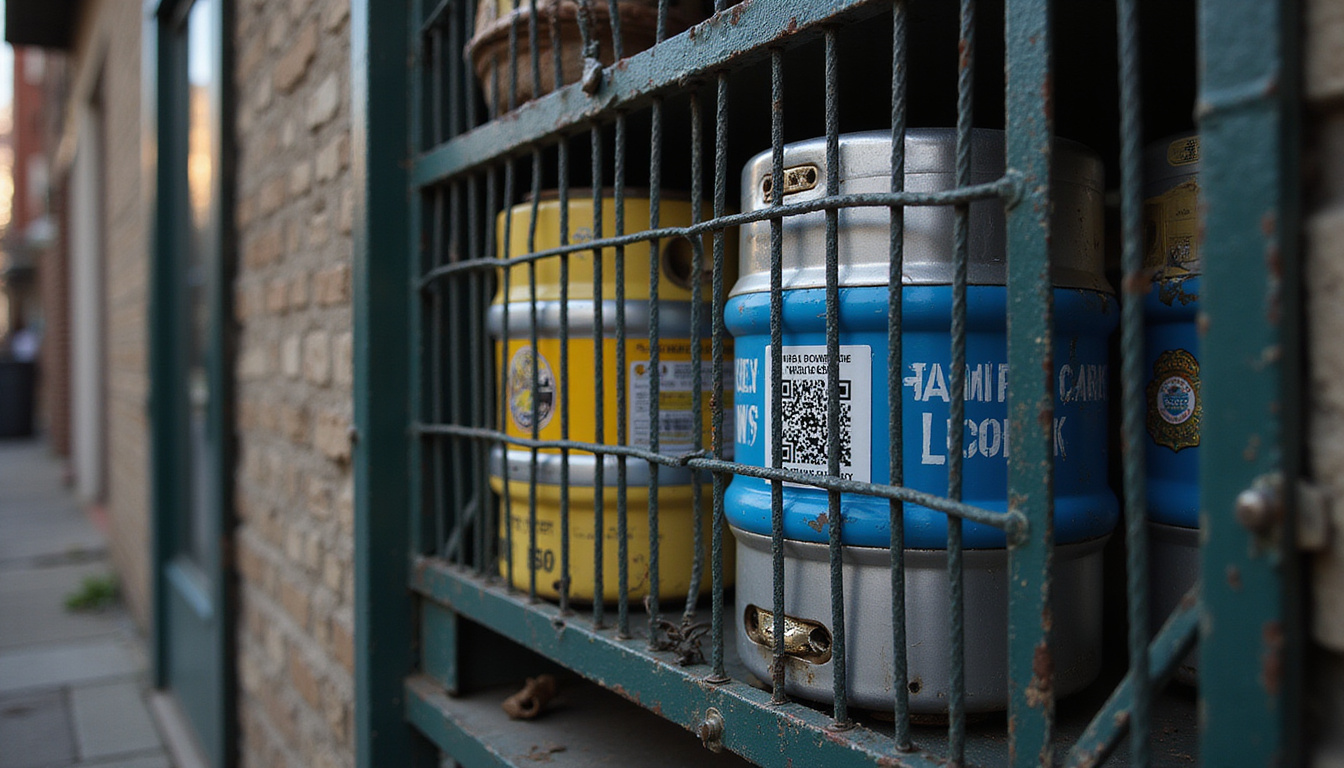
Keg registration links a keg to the buyer via a tag, sticker, or number. The seller records your info and attaches an ID to the keg. Later, if the keg appears in illegal activity, the tag helps the police trace it back to you.
Main goals of keg registration laws
-
Discourage underage drinking
The law makes an adult buyer responsible. This rule keeps older friends or strangers from buying kegs for minors.
-
Reduce large, unregulated parties
Large parties with kegs bring noise, vandalism, and DUIs. Registration helps law enforcement check and hold hosts responsible.
-
Prevent theft and property damage
Kegs and taps are valuable items. Registration and deposits push for proper returns and lower theft rates.
-
Support responsible alcohol service
When your name ties to the keg, you tend to host more responsibly.
Many states follow their own keg rules. Some require tags on any beer container above a set volume, such as 4 or 5 gallons (source: Alcohol Policy Information System).
Where Keg Registration Laws Apply
Not every place uses the same rules, but many follow common methods.
State-level keg registration laws
Many U.S. states and some Canadian provinces have statewide keg registration rules. These rules usually include:
- A required ID tag on every keg above a set size
- A log of purchases kept at the store
- A signature that accepts responsibility
- Age checks (21+ in the U.S., 18/19+ in Canada, depending on the province)
In many areas, removing or altering a keg tag is illegal. Giving a keg to minors will result in extra penalties.
Local ordinances and campus rules
Even if no state law exists, local governments or schools may:
- Demand keg permits for big events
- Ban kegs in some public spots
- Require registration on or near college campuses
- Prohibit keg sales in university housing
Always check:
- Your city or county alcohol rules
- Your university or college housing policies
- Your landlord or HOA rules on parties and alcohol
Step-by-Step: How Keg Registration Works at Purchase
When you enter a store to buy or rent a keg, expect these steps in keg registration.
1. Age and ID verification
- Prove you are of legal drinking age.
- Show a valid government photo ID (like a driver’s license or passport).
- Sometimes, your ID name must match the payment method.
2. Completion of a keg registration form
The seller asks you to fill out and sign a form that often asks for:
- Your full legal name
- Current address
- Phone number
- Date of birth
- Driver’s license or ID number
- Date and location of your event
- The number of kegs purchased
You also sign to show that:
- You know it is illegal to supply alcohol to minors.
- You accept responsibility if the keg is misused.
- You agree not to remove, change, or damage the keg tag.
3. Tagging or labeling the keg
The store attaches a unique tag to your keg. This may be:
- A metal or plastic tag
- A sticker that shows if the keg is tampered with
- An engraved or stamped number
That tag connects to your registration record. Moving or peeling it off may be a breach of the law.
4. Paying the keg deposit and fees
Keg deals usually include:
- Refundable keg deposit: Proves you will return the keg and sometimes the tap.
- Rental fee: For the tap system or tub, if needed.
- Beer cost: The price of the beer in the keg.
Get a receipt that shows:
- The keg’s size and brand
- The deposit amount
- The return deadline or policies
- Any conditions tied to the registration
5. Understanding return and storage rules
Before leaving, ask:
- How to return the keg and where to do it
- The deadline for getting your deposit back
- If returns are accepted after hours
- Rules about damaged or missing kegs and taps
Legal Responsibilities: How to Avoid Fines and Liability
When a keg shows your name, you face legal risks if things go wrong. Keg registration laws work to enforce safe practices.
Liabilities you could face
Depending on your state, you might face:
- Civil fines for not following registration rules
- Criminal charges for giving a keg to minors or allowing underage drinking
- Noise or disorderly conduct citations if your event becomes unruly
- Loss of deposit or extra charges for a damaged or missing keg
In some places, a keg linked to minors drinking can lead to legal charges against you, especially if you are present or play a role.
Practical ways to protect yourself
To lower your risk:
- Buy a keg only if you will supervise the event.
- Never let someone use your ID or buy the keg in your name.
- Keep the keg on private property with permission.
- Check IDs if there is any risk of minors attending.
- Shut off the tap if the event becomes unsafe.
- Do not move the keg in public while it is tapped or in use.
Think of keg registration as a contract where you accept legal responsibility.
Preventing Keg Theft and Loss
Kegs are tough to damage, but they still have high value. Deposits exist to reduce theft and loss.
Why keg theft matters
- Financial loss: A missing keg means you lose your deposit.
- Criminal implications: A stolen keg can complicate a police investigation.
- Higher costs: Theft causes costs to rise for brewers and sellers.
Protecting your keg from theft
Follow these steps to keep your keg safe:
- Limit access: Place the keg indoors or in a fenced area.
- Designate a keg area: Set one spot for serving drinks and watch it.
- Assign a responsible person: Let one or two sober hosts manage the keg and tap.
- Control tap equipment: Keep the tap inside when not in use and remove it after the party.
- Record your tag or serial number: Take a photo of the tag and receipt. This helps if the keg is stolen.
If the keg or tap is stolen, quickly report to:
- The local police (via the non-emergency number)
- The seller or distributor
- Your landlord or property manager if property is damaged
Quick reporting shows good faith and helps in later investigations.
Hosting a Safe, Legal Keg Party
Keg registration adds your name to the keg. It is in your best interest to host safely.
Before the event
- Check local laws: Verify noise rules, open container restrictions, and party regulations.
- Talk to neighbors: Inform them in advance to reduce complaints.
- Plan transportation: Arrange taxis, rideshare, or designated drivers.
During the event
- Keep the keg in one controlled location.
- Serve beer in moderate amounts; avoid “chugging” challenges.
- Let a sober adult watch the keg.
- Stop serving anyone who appears clearly intoxicated.
- Verify IDs if minors might be present; better yet, allow only adults.
After the event
- Turn off and remove the tap as soon as the event ends.
- Secure the keg indoors or in a locked spot until it is returned.
- Walk the area to clear trash and broken items; this shows responsibility.
The Keg Return: Closing the Loop on Registration
Completing keg registration means returning the keg properly and meeting all conditions.
How to return a registered keg
-
Bring your receipt and ID
Sellers must match the keg’s tag or number to your form.
-
Return all rented items
This may include:
- The keg shell
- The tap or hand pump
- The rented tub, if any
- Other accessories listed on your form
-
Check the condition
Clean any spills or dried beer off the keg. Do not open or change the keg shell; this is dangerous and illegal.
-
Confirm your deposit refund
Understand how and when your deposit will come back—whether cash, card refund, or store credit.
Missing tag or damage: what happens?
If your tag is missing or the keg is damaged:
- The seller may keep part or all of your deposit.
- They might note the condition and possibly report it.
- You might need to sign extra forms or statements.
Report any tag loss or damage right away. Honesty helps the seller and law enforcement handle the issue.
Common Mistakes With Keg Registration (and How to Avoid Them)
Beware of these common errors:
- Letting someone else use your name: Do not be the “legal buyer” for someone you do not trust.
- Transporting a keg with open alcohol in the car: This may break open-container laws.
- Leaving the keg in public: Public spaces have strict alcohol rules.
- Missing return dates: Some sellers take deposits if you are late.
- Removing the tag: Even by mistake, this can cause trouble.
Being careful and proactive avoids fines, legal issues, or a record that may affect future purchases.
FAQs About Keg Registration and Party Liability
1. What is keg registration and how does it work?
Keg registration is a system that links a keg to the buyer. The seller uses a tag or label and a signed form to record your details. If the keg is involved in a crime, the authorities can use the tag to find you.
2. Can I be fined if someone else uses my registered keg?
Yes. Often, the name on the keg registration form is held responsible. If someone uses your keg to supply minors or break rules, you might face fines—even if you are not present. Always keep control of your keg.
3. Are keg registration laws the same everywhere?
No, laws differ by state, province, or city. Some places require registration only for large containers, while others have strict rules. Additionally, schools and landlords may add their own rules. Always check local alcohol control websites and housing policies before buying a keg.
Understanding and following keg registration rules keeps you safe and supports responsibility. When you know the rules, protect your equipment, and host with care, you can enjoy your event with less legal risk and fewer problems.