BLOG
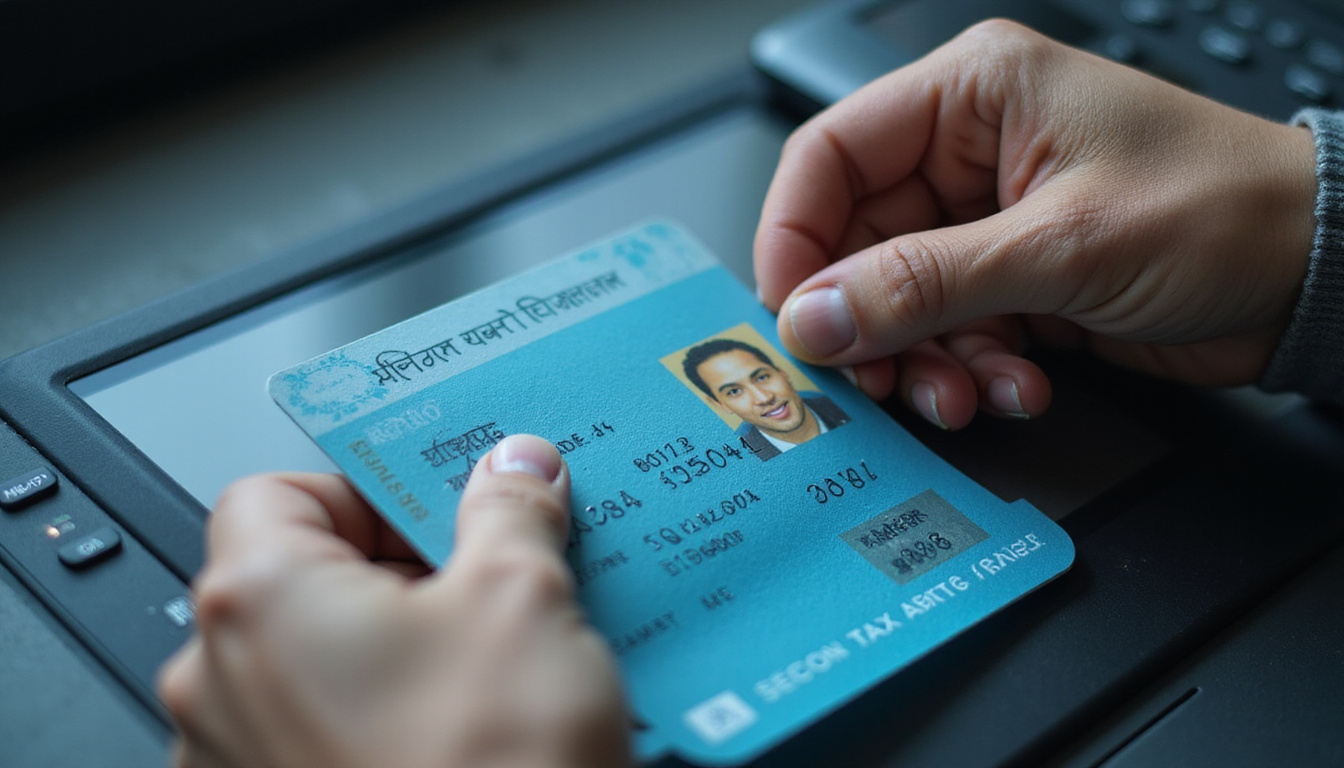
ID scanner training remains a smart and high‐impact investment. It cuts legal risk, saves your license, and stops fake IDs at the door. Even advanced age-verification technology fails when staff misuse it. They must learn to use devices, read scans, and act fast. This guide shows you how to train your team. Good training boosts compliance, quickens lines, and helps your team catch fakes in real time.
Why ID Scanner Training Matters More Than Ever
Laws tighten around age-restricted sales and entry. Alcohol, tobacco, cannabis, gambling, and adult venues now face stricter rules. Fake IDs improve too. Regulators and law enforcement now demand strong verification and proof of training.
Effective ID scanner training does much. It
• Cuts the risk of selling to minors or letting in underage guests
• Guards your liquor, gaming, or business license
• Speeds up lines and checkout
• Builds staff confidence when facing tough customers
• Creates clear records for audits and investigations
Technology alone cannot help. Staff must know why each step matters to meet compliance and security.
Core Goals of Effective ID Scanner Training
Before you design training, state clear goals for every team member. Good ID scanner training builds these skills:
-
Operate the hardware and software correctly
• Turn on and log in properly
• Scan barcodes, stripes, or chips with care
• Fix common errors or timeouts
-
Interpret scan results with confidence
• Read age and expiration quickly
• Notice warning signs of fake or altered IDs
• Act when the scanner does not read the ID
-
Spot fake IDs that pass a basic scan
• Check the scanner output and look at the ID
• Watch for odd behavior and red flags
• Escalate problems when in doubt
-
Follow legal and policy rules
• Know the laws in your area
• Use your company’s refusal and report rules
• Respect privacy and data rules
-
Act professionally under pressure
• Calm conflicts
• Protect staff and customers
• Record incidents clearly and reliably
When you train for these outcomes, your program stays practical, measurable, and repeatable.
Key Components of a Strong ID Scanner Training Program
A strong training program need not be complex. It must be consistent. You can split training into four simple parts:
1. Device Basics and Daily Setup
Begin with the basics so no one feels lost.
• Hardware overview: Show where the scanner reads barcodes, stripes, and security marks. Compare handheld and fixed units if both are used.
• Power and connectivity: Explain how to charge, dock, and reconnect to Wi-Fi or Bluetooth.
• Login and user roles: Train staff to log in with their own credentials.
• Calibration and cleaning: Stress the need to clean lenses and check for damage.
Practice matters. Let staff follow the full start-of-shift routine.
2. Correct Scanning Techniques
Poor scanning slows work and brings false negatives. Training should cover:
• How to hold and position IDs: Use the right angle, distance, and orientation for the device.
• Different document types: Cover state IDs, passports, military IDs, international licenses, and phone-based digital IDs.
• Handling worn or damaged IDs: Teach when to try manual entry and when to refuse.
• Speed versus accuracy: Remind staff that one extra second saves repeated mistakes.
Show real scenarios like busy bar nights or dispensary rushes.
3. Reading and Responding to Results
Staff should look at the screen and know their next move. Scanner screens often show:
• Age results: “Under 21”, “21+”, or “Not of legal age”
• Expiration: “Expired ID” or “Valid ID”
• Flags: “Not recognized”, “Tampered”, or “Suspected fake”
Follow a simple decision tree.
– If the ID is underage or expired, staff must refuse entry or sale.
– If the ID seems fake or unreadable, they must call a manager or use secondary checks.
– If the ID is clear, they allow entry while staying alert.
Record any “suspected fake” as required.
4. Visual and Behavioral Checks Beyond the Scanner
Scanners are one part of a strong check. Training must also cover:
• Matching the photo with the person’s look: Hair, eyes, height, and build are clues.
• Security features: Holograms, UV marks, tactile text, and microprint help spot fakes.
• Signs of tampering:
– Odd lamination or bubbling
– Misaligned fonts or spacing
– Off background colors
– Scratches or edits near birth dates or photos
• Behavioral cues:
– Nervousness or avoiding eye contact
– Friends offering extra help
– Inconsistent birth date answers
Train staff to first use the scanner, then check visually when something seems off.
Legal and Compliance Fundamentals to Include in Training
Rules differ by region, but training should link to your laws. Cover at least these points:
• Legal age limits: Alcohol, tobacco, cannabis, lottery, or gaming rules may vary.
• Acceptable ID types: State IDs, passports, tribal IDs, military IDs, and digital wallets count.
• Duty of care: Use approved scanners and keep logs to show due diligence.
• Record-keeping: Explain how long to store data, who sees it, and what to do for an audit.
• Privacy rules: Many places limit artist storage of full ID images or extra personal data.
Link each law to what staff do daily. This makes abstract law into clear steps.
Building a Step-by-Step ID Scanner Training Plan
A good plan helps repeat training with each hire and refresh periodically.
Step 1: Short Policy and Law Overview
Start with a 15–20 minute session on:
• Why age verification matters
• Risks like fines, license loss, or closure
• Regulator expectations
• Your “no exceptions” rules
Keep it focused to avoid overload.
Step 2: Live Demonstration of the ID Scanner
An experienced trainer should show how to:
• Power on and log in
• Scan a variety of real or mock IDs
• Identify examples of:
– Valid adult ID
– Underage ID
– Expired ID
– Damaged or unreadable ID
Narrate every decision for clarity.
Step 3: Hands-On Practice with Coaching
This is the core of effective training. Have each trainee:
• Practice scanning multiple IDs
• Role-play refusing entry or sale in a calm way
• Handle “difficult customer” scenarios
Fix technique and language live. Let trainees repeat until they gain confidence.

Step 4: Simple Knowledge Check
Use a brief quiz or checklist to check that staff know:
• How to use the scanner
• What each on-screen message means
• When to refuse an ID
• Who to call when unsure
Keep records of training completion and scores for audits.
Step 5: On-the-Job Shadowing
Pair new staff with experienced colleagues during busy times:
• Let them watch first
• Then let them scan under supervision
• Offer feedback afterward
This shadowing turns classroom lessons into real habits.
Best Practices to Make ID Scanner Training Stick
Once you start training, these tips boost impact.
Keep Training Short, Focused, and Frequent
Instead of one long session, use:
• An initial 60–90 minute block
• Brief 10–15 minute refreshers every few months
• Quick “micro-training” sessions when rules change
Repetition builds skill and lowers errors.
Standardize Your Procedures
Use simple guides:
• Laminated cards with step-by-step instructions near scanners
• Posters for acceptable and unacceptable IDs in staff areas
• A refusal script that everyone uses
Consistency aids staff and minimizes mistakes.
Train for Peak-Stress Scenarios
Stress brings out habits. Include training for:
• A crowded bar near last call
• A regular with an expired ID
• A group pressuring staff to “let someone in”
Teach staff to slow down and scan properly even when rushed.
Involve Management and Security
Managers and security must support staff by:
• Following the same procedures
• Backing up staff when refusing IDs
• Handling escalations and conflicts
Visible support stops staff from bending the rules under stress.
Common Mistakes in ID Scanner Training (and How to Fix Them)
Many fall into common traps. Here are mistakes and fixes:
-
Relying only on on-the-job training
– Fix: Use a formal introductory session and checklist.
-
Teaching only the technology and not the law
– Fix: Always tie scanner use to legal reasons.
-
Ignoring fake IDs that pass scans
– Fix: Show that scanners are a tool, not a foolproof answer. Also use visual checks.
-
Not having a clear escalation policy
– Fix: Define who to call, what to say, and when to act.
-
One-and-done training
– Fix: Plan regular refreshers, especially with software or rule updates.
How to Measure the Success of Your ID Scanner Training
The goal is fewer violations and better safety. Track these leading signs:
• Refused IDs per week or month
• Unreadable or unrecognized ID incidents
• Audit results or mystery shopper scores
• Average time per scan during busy hours
• Staff reports of scanner confidence
If refusal rates drop too low compared to past data or local reports, staff may be under-enforcing. If rates are very high, check for misconfigured scanners or over-cautious staff. Use these signs to improve your training.
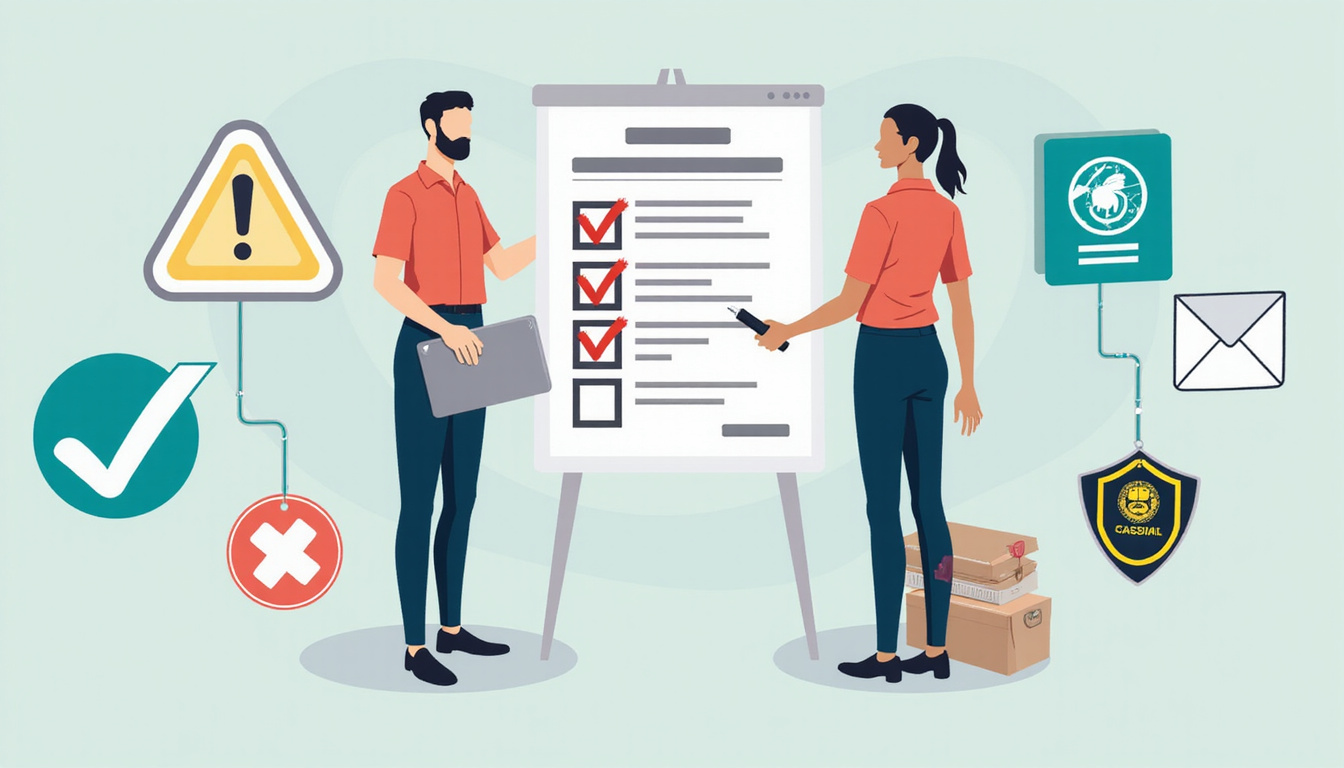
Quick Checklist: What Every Employee Should Know
After training, every staff member who checks IDs should be able to:
• Power on, log in, and set up the ID scanner
• Scan both physical and digital IDs correctly
• Recognize on-screen messages for age, expiration, or suspicion
• Do a quick visual and behavioral check after scanning
• Politely refuse entry or sale when needed
• Escalate issues to a manager or security
• Follow the company rules on privacy and data storage
If someone cannot do these without help, they need more practice or better guidance.
FAQ: ID Scanner Training, Fake IDs, and Compliance
Q1: How often should we provide ID scanner training for bar or nightclub staff?
A1: Provide full training to every new hire before they work alone, and offer refreshers every 6–12 months. Increase training after law changes, software upgrades, or compliance issues.
Q2: Can ID scanner training really help stop sophisticated fake IDs?
A2: Yes. When technology use pairs with visual and behavioral checks, staff can catch issues that devices alone may miss. Modern scanners flag data problems, and trained staff spot physical inconsistencies.
Q3: What should age verification and ID scanner training for retailers include?
A3: Retail training should cover accepted ID types, fast scanning during checkouts, reading pass/fail age results, handling expired or unreadable IDs, using a standard refusal script, and documenting incidents per company and legal rules.
Well-designed ID scanner training turns your devices into a powerful shield against fines, license loss, and damage to your reputation. Clear steps, hands-on practice, and regular refreshers give your team the skill and confidence to meet compliance and catch fake IDs—shift after shift.
BLOG
Managing alcohol service in a busy bar or restaurant is a high-stakes task.
Good last call training protects guests, staff, licenses, and your brand. It cuts the risk of overserving.
Staff who easily spot impairment, handle last call firmly, and step in early lower the chance of alcohol problems both inside and outside.
This guide lists clear, proven steps. It helps you boost your last call procedures, train your team, and build a culture of responsible service that still gives guests a great experience.
Why Last Call Training Matters More Than You Think
Last call is more than a closing notice.
It is the highest risk moment of a shift.
In the final 30–60 minutes:
• Guests rush to order many drinks.
• Intoxication may peak.
• Tension can rise between guests and staff.
• Staff feel tired and risk coasting to closing time.
Without steady, well-organized last call training, even experienced teams can make risky choices.
They might overserve someone who shows impairment.
They might handle refusals poorly.
They might let unsafe departures happen.
Any one of these can lead to:
• DUI crashes and injuries
• Fights or disturbances near the venue
• Legal trouble and lawsuits
• Fines, penalties, or loss of a liquor license
• Damage to your reputation online and in the community
Regulators and courts review your training and policies when they decide liability.
Good records of strong last call training, checklists, and documentation are not only smart—they add a key layer of protection.
Core Elements of Effective Last Call Training
A strong program does more than just tell staff to “stop serving at 1:45.”
It gives them clear tools, scripts, and limits.
Your program should cover at least:
-
Legal requirements and house rules
- List local last call times, overtime rules, and drink limits.
- Spell out rules on doubles, shots, and pitchers near closing.
- Explain ID checks and documentation standards.
-
Recognizing signs of intoxication
- Show signs like loud talk, aggression, or over-friendly behavior.
- Note physical cues such as slurred speech, stumbling, and glassy eyes.
- Watch ordering details: fast re-orders or switching to higher-ABV drinks.
-
Refusal skills and de-escalation
- Teach how to say “no” with clear professionalism.
- Use body language and tone that avoid confrontation.
- Know when to call a manager or security.
-
Safe last call workflow
- Use timelines and checklists for a controlled closing.
- Guide staff on how to manage bulk or round orders.
- Coordinate with security, hosts, and the kitchen.
-
Documentation and incident reporting
- State when to write an incident report.
- List what details to record: time, behavior, witnesses, and actions.
- Explain how and where to store these records.
When you build these steps into training, every employee learns both their duty and their protection.
Recognizing and Responding to Intoxication Before Last Call
A good strategy starts well before closing.
Early intervention keeps the risk low.
Behavioral and Physical Cues
Teach staff to observe guests and connect the signs.
They should not depend on a single clue.
Common red flags include:
• Ordering patterns:
– Smashing drinks, holding two cups, or quick refills.
– Abruptly switching from beer or wine to high-proof shots.
• Behavior changes:
– Raising voices, shouting, or interrupting others.
– Over-friendly or off comments.
– Arguing with staff or other guests.
• Physical cues:
– Trouble with money or cards.
– Frequent spills.
– Walking unsteadily, leaning, or swaying at the bar.
Stepwise Intervention
Train staff on a simple response ladder when signs appear:
- Slow service: Offer water and food; space out alcohol orders.
- Switch to non-alcoholic options: Suggest mocktails or soft drinks.
- Set limits: Say, “I can serve you one more drink if you also have food and water.”
- Refuse more alcohol: Use calm, clear, and consistent language.
- Arrange safe departure: Help call a cab or rideshare, or involve a friend or manager.
Using this step-by-step ladder makes the process feel more procedural than personal.
It helps staff act in a calm and consistent way.
Structuring Last Call to Minimize Risk
Chaos at last call can lead to overserving.
A clear, staged approach supports safer choices.
1. Establish a Clear Last Call Timeline
Create a set schedule and practice it in training:
• 60–45 minutes before closing:
– The kitchen slows and stops new full meals (if needed).
– Staff check tables for a “last round” of food or drinks.
• 30 minutes before closing:
– Announce last call officially.
– Staff walk the floor and take final drink orders, one per guest.
– No doubles or pitchers are allowed.
• 15 minutes before closing:
– Stop serving alcohol.
– Staff clear glasses, offer water or coffee, and settle bills.
• At closing:
– Guests finish drinks and leave promptly and safely.
– Staff debrief any incidents or unusual situations.
Using a written timeline in training builds consistency and simplifies enforcement.
2. Use Smart Limits on Last Call Orders
Limit what can be ordered at last call.
For example:
• No doubles, Long Islands, or high-volume shots after the limit.
• No pitchers or buckets within 30 minutes of closing.
• One drink per person is allowed at last call.
• No “to-go” alcohol unless it is legal and strictly controlled.
State these rules clearly.
Empower staff to cite the house policy instead of personal judgment.
3. Coordinate Across Roles
Last call is a team effort.
Define each role clearly in training:
• Bartenders: Manage service pace, watch guests, and enforce drink limits.
• Servers: Monitor table dynamics, start checks early, and share guest concerns.
• Hosts/Security: Support refusals, guard entrances and exits, and watch the parking lot.
• Managers: Back staff decisions, handle escalations, and ensure proper documentation.
Practice typical last call scenarios together so that every role knows its part in real time.
Communication Skills: Scripts That Support Your Team
Even skilled bartenders face conflict at last call.
Give them clear language to use in training.
Non-Confrontational Last Call Phrases
• “We’re doing last call now; I can get you one more drink before we close.”
• “Just a heads-up, we’re closing in 30 minutes, so this will be the last round.”
• “I can do one more for you now, but then we’re switching to non-alcoholic options.”
Refusal and De-escalation Scripts
When it is time to stop serving:
• “I’m not able to serve you any more alcohol tonight. I can get you water, soda, or something to eat.”
• “For your safety and ours, I need to cut you off from alcohol right now.”
• “Our policy is to stop serving when signs of intoxication appear. I know this is frustrating, but I must follow the policy.”
If a guest pushes back:
• “I hear you and understand that you are disappointed. The decision is final, but I can help with water, coffee, or a ride.”
• “It is not personal—it is our policy and responsibility. My manager can confirm that.”
Role-play these lines during training.
Speaking them out loud helps staff stay calm and consistent under pressure.
Building a Culture of Responsible Last Call
Policies and training work best when supported by strong culture.
Your team should know that:
• Managers back safe choices even if a sale is lost.
• Everyone is measured by responsibility, not just revenue.
• There is no extra “one more” for impaired friends, regulars, or VIPs.
To build this culture:
Lead by Example
Managers must model safe practices:
• They step in when orders look risky.
• They praise staff for sound judgement in tough moments.
• They do not overrule a refusal to serve a guest who appears intoxicated.
Align Incentives
Make sure staff income is not hurt by safe practices:
• Encourage early tabs and proper pacing so that income does not rely on the last 20 minutes.
• Offer bonuses or recognition for excellent handling of incidents and documentation.
• Track success by both safety and the absence of incidents.
Keep the Conversation Going
Last call training should be ongoing:
• Give brief pre-shift reminders about high-risk nights or large events.
• Hold quick debriefs after any incident to discuss what worked and what needs improvement.
• Run annual or semi-annual refreshers that include updates on laws and best practices.
The U.S. National Highway Traffic Safety Administration notes that alcohol-impaired driving causes about one third of all traffic deaths.
Good last call practices can help prevent an impaired guest from becoming a statistic.
Documentation, Incident Reports, and Legal Protection
Good documentation is a key part of last call training.
If an incident occurs, your records show that you acted responsibly.
Train staff and managers to:
• Fill out an incident report after a conflict, ejection, fight, or when a guest leaves extremely intoxicated.
• Record details like the date, time, venue location, names (and IDs if taken), observable behaviors, and the actions taken—such as a cut-off or offering water.
• Keep consistent records to track patterns and strengthen your position if regulators or lawyers review your actions.
Implementing a Formal Last Call Training Program
Treat last call training like any other vital safety program.
Steps to Implement
-
Assess your current practices.
Review recent incidents, near misses, and staff feedback.
Identify gaps in knowledge, consistency, or support.
-
Create written policies.
Document last call times, drink limits, and refusal procedures.
Clearly describe escalation paths and when to call security or police.
-
Develop a training curriculum.
Mix short sessions, role-play, and on-the-job coaching.
Provide simple handouts or digital guides that summarize key rules and scripts.
-
Onboard and certify staff.
Include last call training in new-hire orientation.
Require a brief quiz or sign-off to confirm understanding.
-
Audit and update regularly.
Conduct periodic spot-checks during last call.
Update training as laws change or new risks appear.
Consider pairing your internal program with external responsible beverage service courses.
These may be required or recognized by your jurisdiction and insurers.
Quick Best-Practice Checklist for Safer Last Call
Use this simple checklist during training:
• Clear, written last call time and policy
• One drink per guest at last call
• No doubles, pitchers, or heavy shots near closing
• Staff trained to spot and document intoxication
• Standard scripts for last call and refusals
• Coordinated roles for bartenders, servers, hosts/security, and managers
• Routine incident reports and record-keeping
• Regular refreshers and debriefs after incidents
• Management support for safe choices over short-term sales
FAQ About Last Call Training and Overserving Risk
Q1: What is last call training for bartenders and servers?
Last call training is a clear, step-by-step program that teaches staff to handle the final service safely. It covers timing, drink limits, signs of intoxication, refusal skills, and how to document incidents. This method lowers the risk of overserving.
Q2: How does responsible last call training reduce overserving and liability?
It reduces overserving by giving staff clear rules, tools to spot impairment, and ready scripts for refusing service. A team that follows a proven process and keeps good records protects both guests and the venue from legal trouble.
Q3: What should be included in a bar’s last call procedures and policies?
A bar’s policies should state the exact last call time, allowed drink types, and limits. They should explain how to announce last call, cut off intoxicated guests, arrange safe transit, and complete incident reports. These details must be part of the overall training so every team member follows them consistently.
A good last call program keeps you compliant and protects people.
It supports staff and builds a strong, responsible brand.
Treat last call as a key safety process.
That way, you lower overserving risk while still delivering a warm and profitable guest experience.
BLOG
Building a responsible vendor checklist is not an extra luxury. It now is a core part of managing risk, meeting compliance rules, and protecting your brand. Whether you lead procurement, work in compliance, or run a small business, a structured checklist helps you judge suppliers in a clear way. It also helps you show you did your homework and act fast when problems appear.
Below is a framework of 10 straightforward steps. You can adjust these steps for your organization, no matter its size or industry.
Why you need a responsible vendor checklist
Supply chains today face more challenges and are watched more closely than ever. Rules on data privacy, sanctions, ESG (environmental, social, governance), and modern slavery make you answerable for your own work and your suppliers’ actions.
A clear responsible vendor checklist helps you:
• Find high-risk vendors before you sign a contract
• Use the same checks for teams and regions
• Keep records for audits and stakeholders
• Fix problems early instead of scrambling during a crisis
See the checklist as a living tool. It grows with new rules, business plans, and lessons from past vendor work.
Step 1: Define scope and risk levels for your vendor program
Before you use your checklist, decide which vendors need checking and how deep the review should be.
Not all vendors bring the same risk. For example, a payroll processor handling employee data is more risky than a supplier of office plants. Start by:
• Sorting vendors (e.g., IT, logistics, marketing, professional services, manufacturing)
• Setting risk tiers (e.g., low, medium, high, critical)
• Connecting risk to factors like:
– Data sensitivity and access
– Financial exposure
– Operational importance
– Regulatory impact (e.g., health, safety, finance, healthcare)
– Geographic or political risk
This way, your checklist works in layers. High-risk suppliers get a deep check while low-risk ones get a simpler review.
Step 2: Collect core vendor information and documentation
Begin your checklist with basic details. Verify who you are doing business with and gather key documents.
At least, record:
• Legal name and registration details
• Ownership structure and main shareholders
• Tax ID and certificates of registration
• Physical address(es) and operating sites
• Website and main contacts
• Any regulatory licenses needed (e.g., for finance, health, logistics)
Ask for support documents like:
• Certificate of incorporation or business registration
• Copies of major licenses or certifications
• Company policies (such as the code of conduct, ethics, anti-bribery, privacy)
Keep this data in one place so that procurement, legal, and compliance teams work with the same facts.
Step 3: Screen for sanctions, watchlists, and adverse media
Next, use your checklist to screen vendors with external risk signs. This step is key for regulated industries and cross-border work.
Include in your checklist:
• Sanctions lists (such as UN, OFAC, EU, UK)
• Checks for Politically Exposed Persons (PEP) when needed
• Media reviews for signs of corruption, fraud, environmental harm, or labor abuses
• Records of law enforcement or regulatory actions
For small groups, you may check manually. Many companies use screening tools or compliance platforms for scale and accuracy. Record the screening results, your decisions, and any steps to fix issues.
For further guidance, consult groups like the Financial Action Task Force (FATF) (source).
Step 4: Assess ethical, labor, and human rights standards
Today, responsible sourcing means making sure your vendors respect human rights and labor rules. This check is a key part of a modern vendor checklist.
See if suppliers:
• Ban forced, bonded, or child labor
• Pay fair wages and keep proper work hours
• Create a safe and healthy work setting
• Support freedom of association and collective bargaining
• Prevent harassment, discrimination, or abuse
• Provide a way for workers to report issues
Ask them for:
• A signed note on their Supplier Code of Conduct
• Copies of social responsibility or human rights policies
• Any social audit results or certifications (e.g., SA8000, SMETA audits)
When needed, visit sites or use qualified third-party auditors, especially in sectors like apparel, agriculture, or mining.
Step 5: Evaluate environmental and sustainability practices
Your checklist should also cover environmental performance, especially if the vendor has large physical operations.
Ask:
• Does the vendor follow local environmental laws and permits?
• Do they monitor key impacts (like emissions, water, waste, hazardous materials)?
• Do they have a formal environmental policy or management system (such as ISO 14001)?
• Are they part of sustainability or decarbonization efforts?
Request documents like:
• Environmental policy statements
• ESG or sustainability reports
• Certificates (like ISO standards or industry-specific labels)
For major impacts, also check lifecycle effects, packaging, and logistics emissions. You may ask if they use a similar checklist to screen their own sub-suppliers.
Step 6: Review information security and data protection controls
When a vendor handles your data, especially sensitive personal or confidential data, check their information security and privacy measures.
Your checklist may ask:
• Does the vendor have a formal security program?
• Are they certified (e.g., ISO 27001, SOC 2) or reviewed by an independent party?
• How do they handle access control, encryption, backups, and incident response?
• Do they notify you promptly after a data breach?
• Are they compliant with privacy rules (e.g., GDPR, CCPA) as needed?
Request:
• Security and privacy policies
• Recent test summaries or audit reports
• Data Processing Agreements (DPAs) for personal data
• Plans for business continuity and disaster recovery
Tailor these checks to the data’s sensitivity and risk.
Step 7: Check financial stability and operational resilience
A vendor may meet many criteria yet still be risky if they have financial or operational problems. Include this check in your vendor checklist.
Consider:
• Credit checks or rating reports
• Financial statements for larger or key vendors
• Revenue spread (to spot overreliance on one client)
• Dependence on one facility, region, or key person
• Plans for supply chain redundancy and scaling with demand
Ask vendors:
• What measures support business continuity?
• How did they cope during recent disruptions (like a pandemic or political events)?
• Do they have backup plans for critical supplies?
These checks help you avoid costly disruptions and choose vendors who can grow with you.
Step 8: Embed compliance into contracts and service-level agreements
A checklist works best when its terms are written into contracts. Your expectations should show in your contracts.
Include:
• A clause to follow all relevant laws and regulations
• A commitment to the Supplier Code of Conduct or similar standards
• Anti-bribery and corruption rules
• Data protection and security requirements
• A right for audits and proof of compliance
• Obligations to report incidents, breaches, or major changes
• Rights to end the contract if non-compliance happens repeatedly
Work with legal teams to update contract templates as you refine your checklist.
Step 9: Establish onboarding, training, and communication processes
A one-time check is not enough. Vendors need clear instructions and assistance to meet your rules. Your checklist should cover ongoing communication.
Practical steps include:
• Onboarding packs that explain:
– Your code of conduct
– Compliance rules
– Reporting and escalation methods
• Regular training, especially for high-risk vendors
• A clear contact point on your team for questions
• A simple way for vendors to report issues
Remember, this is a partnership. The goal is to help vendors work responsibly and meet your needs.
Step 10: Monitor vendor performance and conduct periodic reviews
The last step is to keep an eye on vendor performance. Risks change, and your oversight must change too.
Set up a monitoring system that checks:
-
Performance metrics
– On-time delivery, product quality, and service availability
– Adherence to SLAs and key performance indicators (KPIs)
-
Compliance and risk signs
– New sanctions or adverse media
– Updated certifications and licenses
– Audit findings and fixes
-
Feedback loops
– Input from your teams (project teams, IT, finance)
– Vendor self-assessments at regular intervals
– Site visits or virtual checks for high-risk vendors
-
Review schedule
– Annual or biannual checks for high-risk vendors
– Less frequent reviews for lower-risk suppliers
Write down all reviews to show that your checklist is not just paper but used every day.
Sample responsible vendor checklist (10-step summary)
To put this in practice, you can list your responsible vendor checklist as follows:
- Vendor scope & risk classification
- Core company information & registrations
- Sanctions, watchlist & adverse media screening
- Ethical, labor & human rights compliance
- Environmental & sustainability practices
- Information security & data protection controls
- Financial stability & operational resilience
- Contractual compliance & protective clauses
- Onboarding, communication & training
- Ongoing monitoring & periodic reviews
Each step can have its own set of questions, risk signs, and evidence needs that match your industry and region.
Integrating your checklist into tools and workflows
To keep your checklist useful:
• Digitize it: Use a procurement or GRC platform, or even a well-organized spreadsheet if you are a small team.
• Assign ownership: Let procurement handle screening, compliance check sanctions and ethics, and let IT review data security.
• Set approval thresholds: For higher-risk vendors, require that legal, compliance, or senior managers agree before proceeding.
• Track issues: Note exceptions and follow-up actions so you know how risks are managed.
Automatic reminders for renewals, re-screens, and certificate expiries keep your team ahead of problems.
Common pitfalls to avoid
When you build or update a vendor checklist, beware of these traps:
• A one-size-fits-all check that treats a low-risk office supplier like a cloud service provider.
• Too many bureaucratic steps that slow down important purchases.
• Checklist fatigue, where forms get filled for the sake of it with little review.
• Missing escalation steps when red flags appear, leaving teams unsure if they should stop onboarding.
• Static documents that do not update as rules or business models change.
Use your checklist as a guide to make informed decisions, not just as a box-ticking exercise.
FAQs about responsible vendor checklists
1. What should be included in a responsible vendor checklist template?
A good responsible vendor checklist template covers vendor details, checks against sanctions and adverse media, labor and human rights practices, environmental rules, data protection, financial health, and contract terms. It should also list review times, required documents, and steps for handling risk.
2. How often should I review my responsible vendor checklist and update vendor assessments?
Review your responsible vendor checklist at least once a year or when there are major changes in regulations or your business. High-risk vendors should be reassessed annually (or more frequently), and lower-risk vendors every two or three years or when significant changes occur.
3. How can small businesses implement a simple responsible vendor compliance checklist?
Small businesses can start with a responsible vendor compliance checklist that covers the basics: verify legal registration, check sanctions, confirm key policies (ethics, data protection), do simple financial checks, and include clear contract points. Even a one-page form plus a standard contract addendum can improve vendor management.
A clear and simple responsible vendor checklist shifts supplier compliance from a reactive scramble to a proactive, repeatable process. Begin small, tailor the steps to your risks, and update the checklist as your supply chain and rules evolve.
BLOG
If you host parties, holiday gatherings, or casual meet-ups where alcohol is served, know that social host liability matters. It links your role as a host with a guest’s actions. A guest leaves your event intoxicated, then they hurt themselves or another person, and you may face financial harm. Understand how it works and protect yourself to cut your risk.
Below you find a guide that shows what social host liability is, how it changes by state, real examples, and steps you can take before, during, and after your event.
What Is Social Host Liability?
Social host liability links you—the private host—with legal responsibility when alcohol causes harm. This rule applies to ordinary people rather than businesses. For example:
• Homeowners host a Super Bowl party.
• Parents throw a graduation celebration.
• Friends run a backyard barbecue or holiday open house.
When a guest becomes intoxicated at your event and then drives, assaults someone, or is injured, you may be held liable for damages.
Key points connect directly:
• It applies to non-commercial hosts.
• It matters most when alcohol goes to minors or clearly intoxicated adults.
• It links with accidents, falls, fights, or other alcohol-related incidents.
Social Host Liability vs. Dram Shop Laws
See how social host liability differs from other legal ideas.
Dram Shop Laws (Commercial Liability)
Dram shop laws link liability to businesses that sell or serve alcohol. They cover:
• Bars
• Restaurants
• Nightclubs
• Liquor stores
These laws hold an establishment accountable when it serves an obviously intoxicated patron or a minor and that person later causes injury or damage. Dram shop laws are common and clearly defined (source: NIAAA – Alcohol Policy Information System).
Social Host Laws (Private Individuals)
Social host laws extend a similar responsibility to private hosts. They link your action of serving alcohol in private spaces with legal risk when you:
• Provide alcohol in your home.
• Allow guests to bring and drink alcohol (BYOB).
• Overlook underage drinking.
Here the law links you to liability even when you do not sell alcohol; you only provide or allow its use.
How Social Host Liability Laws Vary by State
Social host liability changes by state. Some states have clear statutes; others rely on court decisions. In some states, the law offers little liability.
These patterns usually occur:
-
Liability for Serving Minors
• States link liability when you give alcohol to underage guests.
• You may be liable if you know that drinking happens, even if you do not hand over the drink.
-
Liability for Serving Obviously Intoxicated Adults
• Some states hold you responsible for serving alcohol to guests who are clearly drunk.
• The key is: Should a reasonable person have seen the intoxication?
-
Criminal vs. Civil Liability
• Criminal penalties link to fines or charges for supplying alcohol to minors.
• Civil liability links to lawsuits for injuries, medical bills, lost wages, or wrongful death.
Because details vary, check your state’s law or talk with a local lawyer if you host big or frequent gatherings.
When Can a Social Host Be Sued?
To know your risk, review when a claim typically starts.
Consider these patterns:
• Drunk Driving After a House Party
A guest, intoxicated at your event, drives and crashes. Injured people may sue you for overserving or negligence.
• Underage Drinking at Home
Teens drink at your home. A crash, fight, or fall follows. Parents or victims may sue you for allowing alcohol on your property.
• Alcohol-Fueled Assaults or Fights
A guest becomes aggressive after drinking and harms another. The injured person may claim you did not intervene correctly.
• Injuries on Your Property
Intoxicated guests fall down stairs or around the pool. In some states, linking intoxication with your service of alcohol can boost your liability.
To succeed in a suit, the claim generally shows:
- You served or allowed alcohol.
- You knew or should have known a guest was underage or intoxicated.
- The intoxication caused the harm.
Who Is Most at Risk Under Social Host Liability?
Any host might face a claim, but risk increases in some situations:
• Parents of Teenagers
Even if you think supervision makes it safe, many states show no mercy to adults who allow underage drinking at home.
• Hosts of Large Gatherings
Big parties, weddings, or reunions increase the odds someone may drink too much and drive or fight.
• Frequent Entertainers
The more you host, the higher your statistical risk—especially if heavy drinking is common at your events.
• Property Owners with Risky Features
Pools, decks, hot tubs, and multi-level homes link to more accidents when alcohol is involved.
Practical Ways to Reduce Your Social Host Liability Risk
You cannot remove all risk. Yet, you can cut it by planning ahead and hosting responsibly.
Before the Event: Plan With Safety in Mind
-
Know Your State’s Laws
• Look up the local rules on social host and underage drinking laws.
• Understand if your state links alcohol service to civil liability when minors or intoxicated adults are involved.
-
Consider Insurance Coverage
• Homeowners or renters insurance often links to liability coverage should you face a claim.
• Some policies include a “host liquor liability” endorsement. Ask your agent if you plan to host large parties.
• Check that your limits cover high medical costs and lawsuits.
-
Set Clear Ground Rules
• Tell guests that minors should not drink before the event.
• Let adult guests know that rideshare, designated drivers, or overnight options exist and are encouraged.
-
Think About an Alcohol Plan
• Plan to offer food and non-alcoholic drinks.
• Decide ahead of time when you will stop serving alcohol. Do not leave that open-ended.
During the Event: Host Actively, Not Passively
Your role is to guide the event and cut risk by watching your guests.
Key practices link together:
• Serve Food Generously
Food slows absorption and lessens extreme intoxication. Offer full meals like sandwiches, pizza, or protein-rich appetizers rather than just chips.
• Provide Plenty of Non-Alcoholic Options
Water, soda, mocktails, or iced tea link as attractive alternatives. This makes alcohol less the only choice.
• Control the Alcohol Supply
Avoid open bars where guests pour their own strong drinks. Instead, have one responsible adult serve and monitor consumption.
• Watch for Signs of Intoxication
Look for slurred speech, unsteady steps, loud or aggressive behavior, and confusion.
When a guest shows signs, stop serving them and help switch their drink to water, food, or coffee.
• Handle Underage Guests Carefully
Do not serve alcohol to minors.
Do not allow them to drink alcohol they bring or get from others.
When teens are present, stick close by and limit their access to drinks.
• Encourage Safe Transportation
Have a safe plan:
- Offer calls for rideshare or taxi.
- Put a designated driver system in place.
- Allow impaired guests to stay overnight.
Intervene if a guest plans to drive while impaired.
After the Event: Follow Through on Safety
Your duty carries on as your guests leave.
• Double-Check High-Risk Guests
If someone was very drunk, check that they are not driving. Help arrange a ride or a place to stay.
• Manage Clean-Up Carefully
Remove unfinished drinks quickly. This is extra important if minors or unexpected guests stay nearby.
Secure leftover alcohol to cut unsupervised access.
• Document Major Incidents
If a fight, injury, or serious intoxication happened, write down the details with time and date.
Take photos of any property damage.
If injuries are severe or you see criminal behavior, call the authorities.
This record links to your defense if legal issues arise.
Special Focus: Social Host Liability and Underage Drinking
When minors join your event, the link to liability grows even tighter.
Why Serving Minors Is So Risky
• Many states hold a zero-tolerance view for serving alcohol to anyone under 21.
• Liability attaches even if a minor’s parents have given consent.
• Simply allowing underage drinking at your home can link to penalties.
Consequences fall into these links:
• Fines and criminal charges
• Civil lawsuits for injuries or wrongful death
• Higher insurance costs or cancellation of your coverage
How to Protect Yourself When Teens Are Present
• Make a clear rule that no alcohol is allowed at teen gatherings.
• Stay close at your event. Do not leave teens unsupervised.
• Lock away alcohol safely during teen events.
• If a guest appears intoxicated, call their parents and do not let them go unsupervised.
Even if you believe that supervised drinking works best, your state’s rules may work against you. The legal links in these cases can be severe and change lives.
Checklist: Practical Steps to Limit Social Host Liability
Use this checklist as you plan your next event:
- Check your state’s laws on social host liability and underage drinking.
- Confirm your insurance liability coverage.
- Decide in advance:
- What alcohol to serve.
- When to stop serving.
- Who will monitor and serve drinks.
- Offer plenty of food and non-alcoholic drinks.
- Do not serve or allow alcohol to minors.
- Watch for signs of intoxication and cut off service if needed.
- Arrange safe rides or overnight options.
- Secure leftover alcohol and clean up quickly afterward.
When to Talk to a Lawyer About Social Host Liability
You might consult a lawyer if you:
• Host large gatherings often where alcohol is served.
• Plan a high-risk, one-time event like a wedding or graduation party with an open bar.
• Have already faced an incident—such as an accident, injury, or police involvement—after your event.
A local lawyer will explain how social host liability links with your state’s laws, review your situation, and help link you with your insurance if a claim arises.
FAQs About Social Host Liability and Hosting Safely
1. What is social host liability in simple terms?
Social host liability links your role as a private host with legal responsibility. If a guest becomes intoxicated and later causes injury or damage, you may be financially liable. This link holds even if you did not sell alcohol.
2. Can I be held liable if I don’t directly serve the alcohol?
Yes. In some places, the law creates a link between your actions and liability even if you do not hand someone a drink. If you allow open access to alcohol or ignore signs of intoxication, you may still be held responsible.
3. How does social host liability apply when minors are involved?
The law links strict rules when minors drink at your event. Many states impose civil and criminal penalties on adults who provide or allow alcohol to someone under 21. If an underage guest is harmed or harms another, the law may hold you to account, regardless of your intent.
Understanding social host liability does not mean you cannot host a fun event. It simply means you plan ahead, watch alcohol use closely, protect minors, and make safe transportation options clear. By linking these precautions with your event, you can host warmly and reduce legal risks for you and your guests.
BLOG
Introduction: why POS compliance matters now
Retailers hold POS compliance as a top need in 2025. Payment methods evolve, data rules tighten, and regulators punish breaches harshly. A breach can trigger fines, chargebacks, and loss of trust. Retailers must learn clear, practical steps to stop violations.
What “POS compliance” actually covers
POS compliance links technical controls, clear policies, vendor contracts, staff actions, and written records. These links keep your point-of-sale system legal. The rules cover:
- Payment data security (for example, PCI DSS)
- Local consumer rules and tax reports
- Software licensing plus device certification
- Contracts with payment processors and acquirers
Know which layer applies to your store. Encryption, tokenization, refund rules, and receipts all link to avoid fines.
Top risks that lead to retail fines
Retailers see the same risks when regulators or card networks point to errors. These key risks show up as:
- Storing card data without encryption on POS terminals or back-office systems
- Using outdated or unsupported POS software missing key security updates
- Configuring networks poorly so attackers move easily to payment systems
- Poor written records of procedures and incident plans
- Weak oversight of third-party vendors
Each gap can trigger fines and heighten the chance of a costly breach.
Five essential strategies to avoid costly fines
A smart, clear program cuts risk and shows auditors you act in good faith. Use these linked strategies:
-
Harden the POS environment
• Isolate terminals on specific networks; enforce strict firewall rules.
• Disable services and ports you do not need on payment devices.
• Keep terminals and servers up to date with firmware and patches.
-
Encrypt and minimize cardholder data
• Use end-to-end encryption or tokenization so raw card data never stays in your systems.
• Only keep card data when you are legally required and as briefly as possible.
• Enforce strong encryption and clear key practices.
-
Maintain strict access control and logging
• Grant employees only the permissions they must have.
• Require multi-factor authentication for admin accounts.
• Store logs in a tamper-resistant way for audits.
-
Train staff and build clear policies
• Teach role-based training that links card-handling with social engineering risk and quick incident reports.
• Keep clear, updated policies for refunds, voids, and customer data requests.
• Run regular exercises to test your breach response.
-
Vet and manage third parties
• Ask each payment vendor for current PCI DSS (or similar) reports.
• Include contract clauses for fast incident notifications and clear liability.
• Test vendor security practices often.
A simple checklist to get started
Follow this checklist for your next 90 days:
- Segment the POS network and enforce firewall rules.
- Check that encryption/tokenization works with your processor.
- Patch software and verify firmware versions.
- Rotate and secure cryptographic keys; set up MFA for admins.
- Gather vendor compliance reports and update contracts.
Technical controls that make compliance practical
Technical tools link to showing you meet audit demands. Focus on:
- Hardening devices with clear templates for each POS model
- Using secure boot and signed firmware where you can
- Running automated patch updates
- Keeping central logs with tamper-resistant storage and clear retention
- Detecting network intrusions in payment traffic
These tools form the backbone of compliance. Auditors look for clear processes and linked evidence.
Policy, training, and culture: the human side of compliance
Even the best technical setup fails if people lack clear steps. Build a simple compliance manual with clear procedures, incident plans, and step-by-step guides. Train quarterly with short modules—for instance, a 10-minute guide on handling a suspicious card swipe or a phishing test for back-office staff.
Documentation and regular audits
Regulators and payment networks need clear records. Keep evidence that links these items:
- Configuration baselines for POS devices
- Logs of patches and updates
- Access control lists and MFA records
- Proof of staff training and vendor reports
- Timelines for any incident response steps
Run internal audits and simulated tests every six months. If possible, work with a qualified security assessor (QSA) on PCI reviews. This step keeps your work in line with industry needs.
Working with vendors and payment processors
Third-party vendors often link to compliance issues. Manage this link by:
• Requiring current, clear compliance reports from vendors.
• Insisting on contract terms that state who pays fines when breaches occur.
• Choosing vendors that support tokenization and E2EE to cut down your risk.
• Testing vendor setups in a sandbox before production.
If a vendor does not offer clear details, see it as a red flag. Find vendors that link clearly to your control needs.
Preparing for a breach or audit
Even the best controls may link to a breach. Have a clear, tested incident plan that links:
• Quick containment steps to isolate affected systems
• Notification steps to card networks, regulators, and customers
• Forensic plans that gather evidence for auditors
• Communication templates for both internal and public messages
A fast, open, and documented response can cut penalties. Slow or secretive responses link to higher fines and more harm.
Cost vs. consequence: investing wisely
Some retailers see compliance spending as a burden. The right view sees it as risk management. The cost of encryption, training, and audits links to much less expense than fines or lost trust after a breach. Budget for compliance as part of your ongoing operations. Allocate funds for patches, vendor checks, training, and regular reviews.
Measuring success: KPIs for POS compliance
Measure and link these indicators to show progress:
• The percentage of terminals with the latest firmware
• The time it takes to apply essential patches
• The number of failed access attempts and MFA overrides
• How often vendors produce compliance attestations
• The time it takes to detect and contain incidents
These measures help management see clear links between actions and success.
Authoritative guidance and staying current
Follow advice from trusted sources. For payment rules, the PCI Security Standards Council provides clear links between standards and practices. Keep up with vendor alerts and industry updates so you can act and patch fast.
Conclusion: make POS compliance a continuous program
POS compliance is not a one-time list but an ongoing program. Link technology, people, and contracts in a continuous way. Harden devices, encrypt data, control access, train staff, and keep clear records. These clear links help retailers avoid fines and build trust. Start with your 90-day checklist and make compliance a steady goal.
FAQ — quick answers to common questions
Q1: What is POS compliance and why is it important?
A1: POS compliance links security measures, policies, and contracts that keep point-of-sale systems legal. It helps stop fines, reduces breach risks, and secures customer data.
Q2: How do I create a POS compliance checklist for my store?
A2: Create a checklist that links network segmentation, encryption/tokenization, patch updates, access controls (including MFA), vendor reports, staff training, and incident plans.
Q3: What are the basic POS compliance requirements small retailers should know?
A3: Small retailers must link steps such as encrypting payment data, using supported software, keeping firmware current, enforcing strict access controls, and getting vendor reports. These steps solve many audit and breach issues.
Further reading
For full standards and guidance on payment security, visit the PCI Security Standards Council website (https://www.pcisecuritystandards.org).