
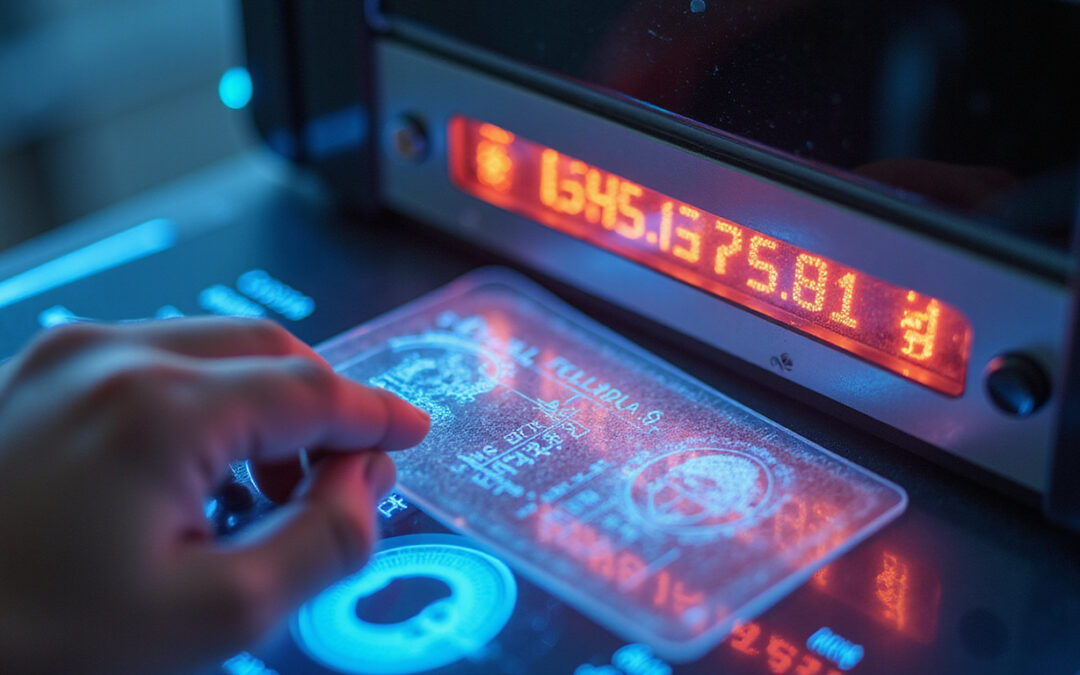
In these days, fraud increases. Identity theft rises. Upgrade your ID scanner systems. This upgrade proves a smart investment for any business. If you run a bar, rental agency, hospital desk, or e-commerce returns desk, an effective ID scanner saves money. It cuts chargebacks, blocks underage sales, and stops fake identities. This guide shows the upgrades every business should use. It explains how to install them and what return on investment to expect.
Why modern ID scanner upgrades matter now
Fraud tactics change fast. Criminals forge paper IDs. Criminals cheat basic barcode checks. An upgraded ID scanner reads printed data. It checks authenticity with several layers. It detects holograms. It scores anomalies with machine learning. Losses go down. Customer flows smooth out. The Federal Trade Commission reports high volumes of fraud (https://www.ftc.gov/news-events/media-resources/identity-theft-and-identity-fraud). This report reinforces the need for strong verification tools.
Key threats upgraded ID scanners stop
- Document forgeries that are physically altered
- Stolen or fake identities in account openings
- Fake IDs that bypass age or access rules
- Automated attacks that use weak verification APIs
Core features to look for in an upgraded ID scanner
Not every upgrade wins. When you review equipment and software, look for these features:
- Optical Character Recognition (OCR) that supports global formats
- Multi-spectral imaging (UV, IR) to see hidden security marks
- MRZ and barcode parsing for passports and IDs
- Hologram, microprint, and watermark checks
- Document matching and forgery scoring
- Biometric selfie matching with liveness checks
- Secure logs and encryption for privacy rules
Top hardware and software upgrades businesses need
Upgrading an ID scanner needs both hardware and software work.
• Use high-resolution, multi-spectral readers.
Replace cameras that use one light with scanners that capture visible, ultraviolet (UV), and infrared (IR) images. They show security marks and hidden inks that forgers can’t mimic.
• Add embedded OCR with machine learning.
New OCR engines work with machine learning. They fix skew, low light, and odd fonts. They pull out clean data. They cut down manual checks.
• Create biometric linkage.
Add a camera to take live selfies. Run liveness checks. Match the face with the ID photo. This stops tricks with photos or deepfakes.
• Use real-time database checks.
Link the scanner with watchlists and databases. Mark known fraudsters at once. For some industries, automatic checks with sanction lists and internal registries are key.
• Employ cloud analytics and threat scoring.
Go beyond pass/fail results. Cloud tools gather data from different sites. They deliver risk scores from device data, behavior, and past patterns.
• Ensure secure data handling and compliance.
Encrypt images and data. Remove sensitive data by policy. Keep logs for regulations like GDPR or HIPAA.
A prioritized upgrade checklist (numbered)
- Replace old readers with multi-spectral capture units.
- Use an OCR engine that works with international ID formats.
- Add biometric selfie matching with liveness detection.
- Connect to real-time verification and sanction lists.
- Introduce machine-learning fraud scoring in the check process.
- Secure data storage and log in line with GDPR/HIPAA.
- Train staff and revise SOPs to use new verification.
How to integrate an upgraded ID scanner into existing workflows
Upgrades work only when integrated well. Follow these steps:
• Audit your current workflow.
Map every step where ID checks happen. Note slow manual checks, unclear outcomes, and privacy risks.
• Pilot the upgrade.
Try the new ID scanner at one location or department first. Count false accepts, false rejects, and time saved.
• Connect your systems.
Let the scanner send its data to POS, CRM, membership, or booking systems. Use APIs for live checks. Do not copy and paste data manually.
• Train your staff.
Teach how to read risk scores. Clarify what to do for flagged IDs.
• Monitor and iterate.
Use analytics to set thresholds. Lower false positives. Spot new fraud tactics.
Compliance, privacy and recordkeeping
Secure verification must respect privacy. Upgraded platforms should:
• Store only the data and images needed.
• Keep data only as long as necessary.
• Encrypt data when stored and when sent.
• Limit access with role-based controls.
• Provide anonymized audit logs for reviews.
• Allow opt-out and data deletion when asked by consumers.
Industry-specific upgrade considerations
• Hospitality and nightlife:
Check IDs fast. Verify age quickly. Use offline fallback for busy times.
• Financial services:
Use strong biometric matching. Include robust KYC checks. Tie in AML tools.
• Healthcare:
Follow HIPAA rules for patient IDs. Do not store extra health data.
• Retail and rental:
Cut returns fraud by linking IDs to purchases or rentals.
Measuring ROI and business impact
Upgrading brings clear benefits:
• Fewer chargebacks and fraud costs
• Lower fines and dispute losses
• Faster transactions and higher throughput
• Less manual verification and training costs
• More customer trust and fewer account takeovers
A conservative view: if fraud savings equal 0.5–1% of gross revenue, and upgrade costs stay under 0.2–0.4% in two years (including software fees), mid-sized businesses may see ROI in 6–18 months.
Common deployment pitfalls and how to avoid them
• Do not rely on one data source.
Use many checks—document, biometric, and database—to prevent false confidence.
• Do not ignore user experience.
Slow or intrusive scans create trouble. Choose fast captures and clear on-screen guides.
• Avoid poor data hygiene.
Update document templates and ML models to match new IDs and attack methods.
• Do not skip staff training.
Even the best scanners need clear SOPs to manage ambiguous results.
Real-world example
A regional car rental chain made changes. It shifted from barcode-only scans to multi-spectral readers, OCR, and selfie matching. In one year, it cut identity-related chargebacks by 60% and reduced manual verification time by 35% at pickup desks. The saved labor and lower losses paid for the upgrade in under one year.
Vendor selection: what questions to ask
• Can the scanner read international IDs and passports?
• Does it support multi-spectral capture (UV/IR)?
• What methods does it use for biometric matching and liveness detection?
• Are there verification APIs to link with our systems?
• How is customer data encrypted and how long is it kept?
• What are the SLAs and uptime promises for cloud services?
Three-step rollout plan
-
Pilot:
Test at one high-volume location for 30–90 days. -
Integrate:
Connect scanner data to key systems. Update staff SOPs. -
Scale:
Roll out in waves. Watch fraud metrics and user feedback. Adjust thresholds.
FAQ — short Q&A using keyword variations
Q1: How accurate is an ID scanner for preventing fraud?
A1: Modern ID scanners use multi-spectral imaging, OCR, and biometric matching. They catch most common forgery types and block identity fraud. Accuracy depends on the vendor and setup. Look for test results and case studies.
Q2: Are ID scanners suitable for small businesses?
A2: Yes. Small businesses can start with entry-level ID scanners that offer OCR and cloud checks. Scalable subscriptions let you add features like selfie matching and watchlist checks as you grow.
Q3: What’s the difference between an ID scanner and an ID scanning system?
A3: An ID scanner is a device that reads ID data. An ID scanning system adds software, integrations, databases, and analytics. It forms a complete solution for verification and fraud prevention.
Final checklist before upgrading
• Check your industry and regional regulations.
• Pick a scanner with multi-spectral capture and biometric support.
• Ensure data is handled securely with minimal retention.
• Pilot the solution and train staff with new SOPs.
• Monitor performance and update risk thresholds.
Upgrading your ID scanner goes beyond buying hardware. It is a strategic step. It creates safer operations, faster service, and less fraud loss. Begin with a pilot. Choose features that match your threats. Roll out carefully. With the right mix of imaging, biometrics, and smart analytics, your business stays ahead of fraudsters and protects customers and profits.